CASE STUDY 6 OF 8
MAKE IT 3D
Turn your videos into 3D you can watch on a Vision Pro.
A free, open-source Mac app I designed and built to turn ordinary videos into 3D for Apple’s Vision Pro headset. It creates a slightly different view for each eye, so nearby and distant objects feel separated.
Status
Updated source is public. The signed, notarized download is still v1.2.3.
Context
macOS · SwiftUI · Open source
My role
I owned the product definition, conversion workflow, depth controls, error states, visual QA, packaging, and release.
Your video
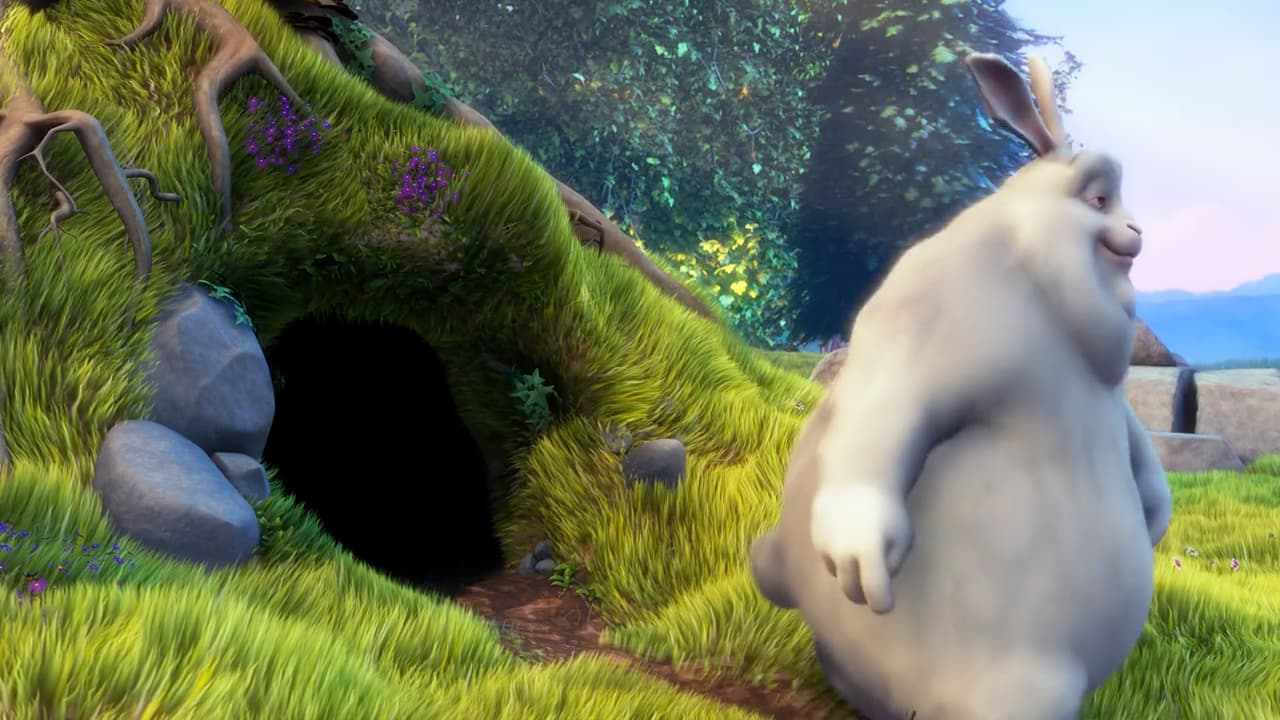
Estimated depth

First, work out what’s near and far. Then create a slightly different view for each eye, so the video has a sense of depth when watched in the headset.
Actual app analysis, shown in red and white for this explanation. Footage: Big Buck Bunny © 2008 Blender Foundation · CC BY 3.0. Used throughout this case study.
- Role:
- Solo product designer and product owner
- Privacy:
- Local processing · No account · No upload
01
A library of videos, and almost none of it in 3D.
Most of the videos I already owned were flat. I wanted a way to watch them with a sense of depth on Vision Pro, without filming everything again.
Make It 3D estimates what is near and far in each frame, then creates a spatial video: a pair of views for the headset’s two eyes. The original stays untouched, and the video processing stays on the Mac.
02
One button stayed the front door.
Drop a video, choose Convert, and let automatic depth set the starting point. In this update, a larger viewer gives the picture more room. The queue can tuck away for one file, while depth controls stay beside the image.
Longer work needs a way back. Bookmarks return to a moment, saved sessions restore the queue and adjustments, and history keeps completed videos and failure details in reach.
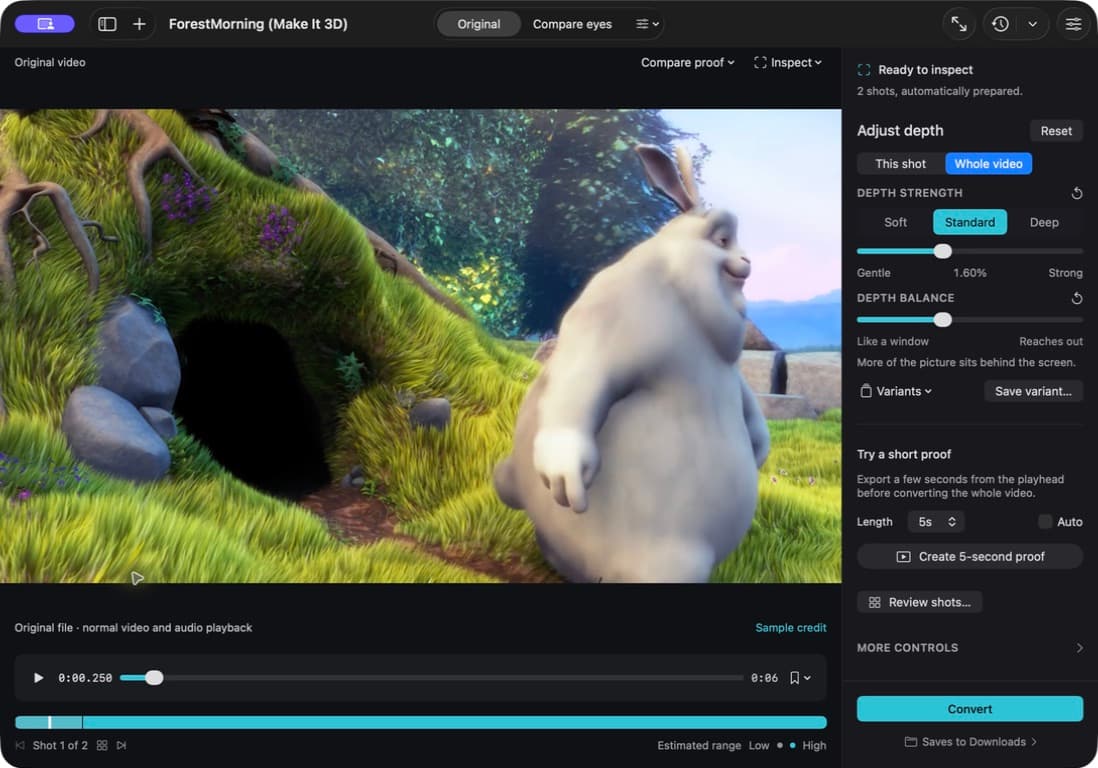
The updated app running on a Mac. The picture stays central, with adjustments and Convert beside it.
03
Depth became a shot-by-shot decision.
A close face, a wide landscape, and a fast camera move need different treatment. The app detects cuts and sets depth shot by shot. This shot and Whole video make it clear what a manual adjustment will affect.
Automatic analysis and moving between shots no longer overwrite those choices. Compare Your settings, Automatic, and Original at the same frame, then save a named version if another treatment is worth keeping.
Compare the same frame
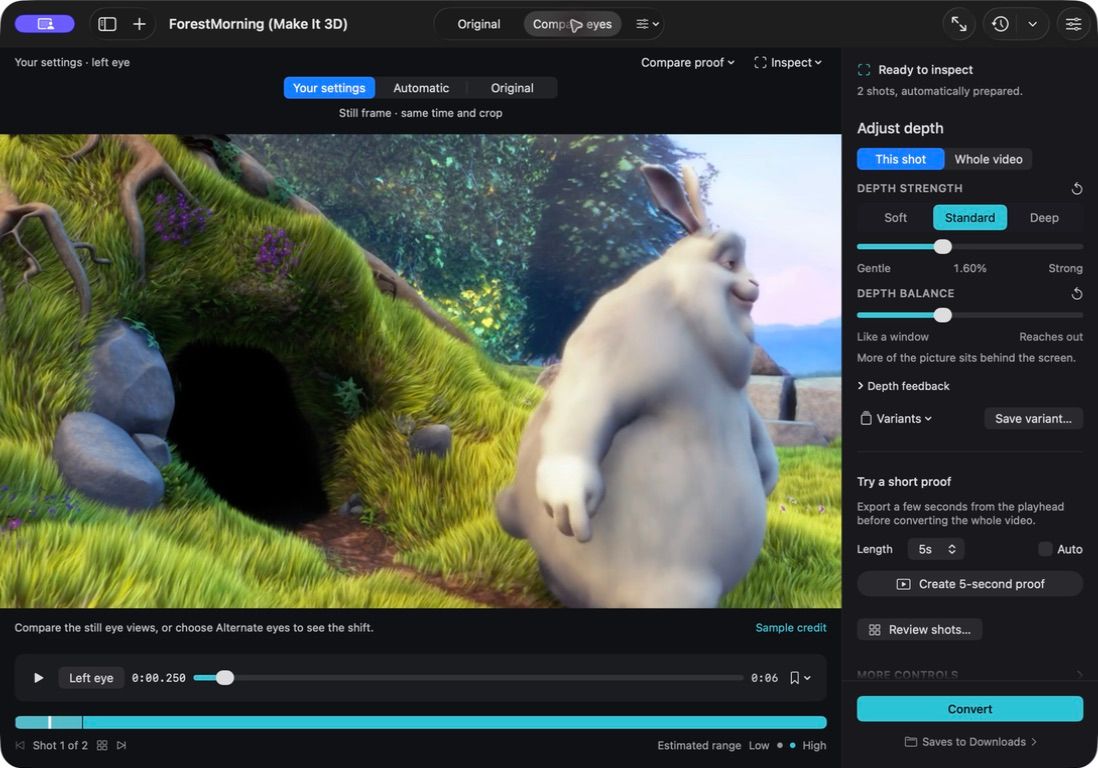
Choose what the adjustment changes
A closer look at the comparison and depth controls in the running app.
04
A valid file could still be a bad result.
The first files opened correctly, but some still looked flat or reversed. Compare eyes lets someone inspect the left and right views on a regular monitor.
A still image cannot show every problem with movement. A short proof is a sample of the finished video, from three to eight seconds. It loops beside the controls, can be compared with the original, and is marked out of date after another adjustment.
Left eye · top
Right eye · bottom
A rabbit moves beside a burrow in this real three-second export. The two views differ slightly; the headset shows one to each eye to create a sense of depth.
See the short-proof controls in the app05
Pixel tests caught persuasive lies.
Early image checks caught results that looked plausible in the interface but put depth in the wrong place. This update also checks that edits survive navigation, cancelled work can recover, and completed files pass their checks before the app calls them done.
Visual review still needs attention. Shot previews and hints about motion and edges help choose where to look, especially around hair, foreground objects, and camera movement.
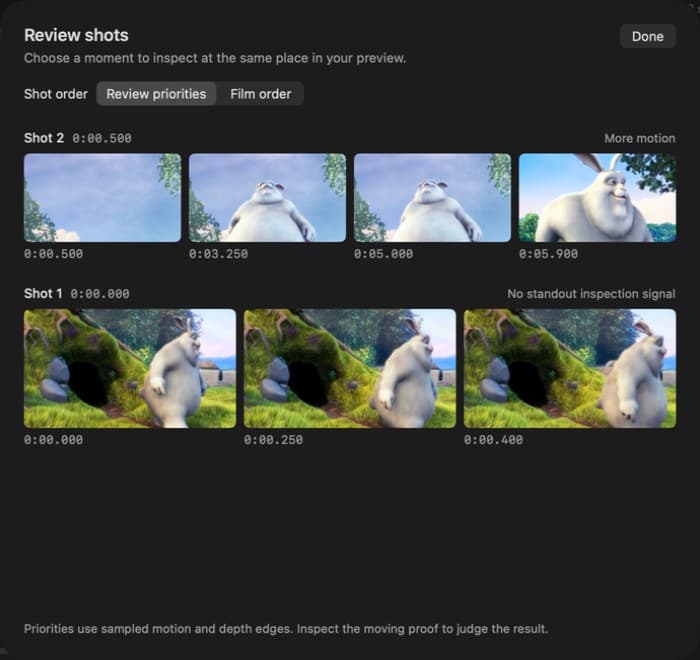
Shot review helps find moments that deserve a closer look.
AI working method
How I used AI to move from product decision to working software
- Product decision
- Product definition, conversion workflow, depth controls, error states, visual QA, packaging, and release.
- AI-assisted build
- I used AI coding tools to build the conversion process and visual checks, while I defined the workflow and reviewed the results. For this update, I directed Codex through the audit, fixes, and testing.
- Evidence
- Audit: 21 defects fixed
- Automated checks: 75 local tests passed
- Video output: Export checks passed in development and release builds
Current boundary
What this work does not claim
The app estimates depth from a flat image; it cannot recover a scene exactly as a 3D camera would. These checks establish working features and valid files, not ease of use or viewing comfort. The update still needs a packaged release and a headset review.
REFLECTION
Verification had to test the promise.
A file that opens correctly can still look wrong. I had to check both the file and the pictures inside it.