CASE STUDY 1 OF 8
CLEAR PAGE
Rethinking PDF reading for Apple Vision Pro.
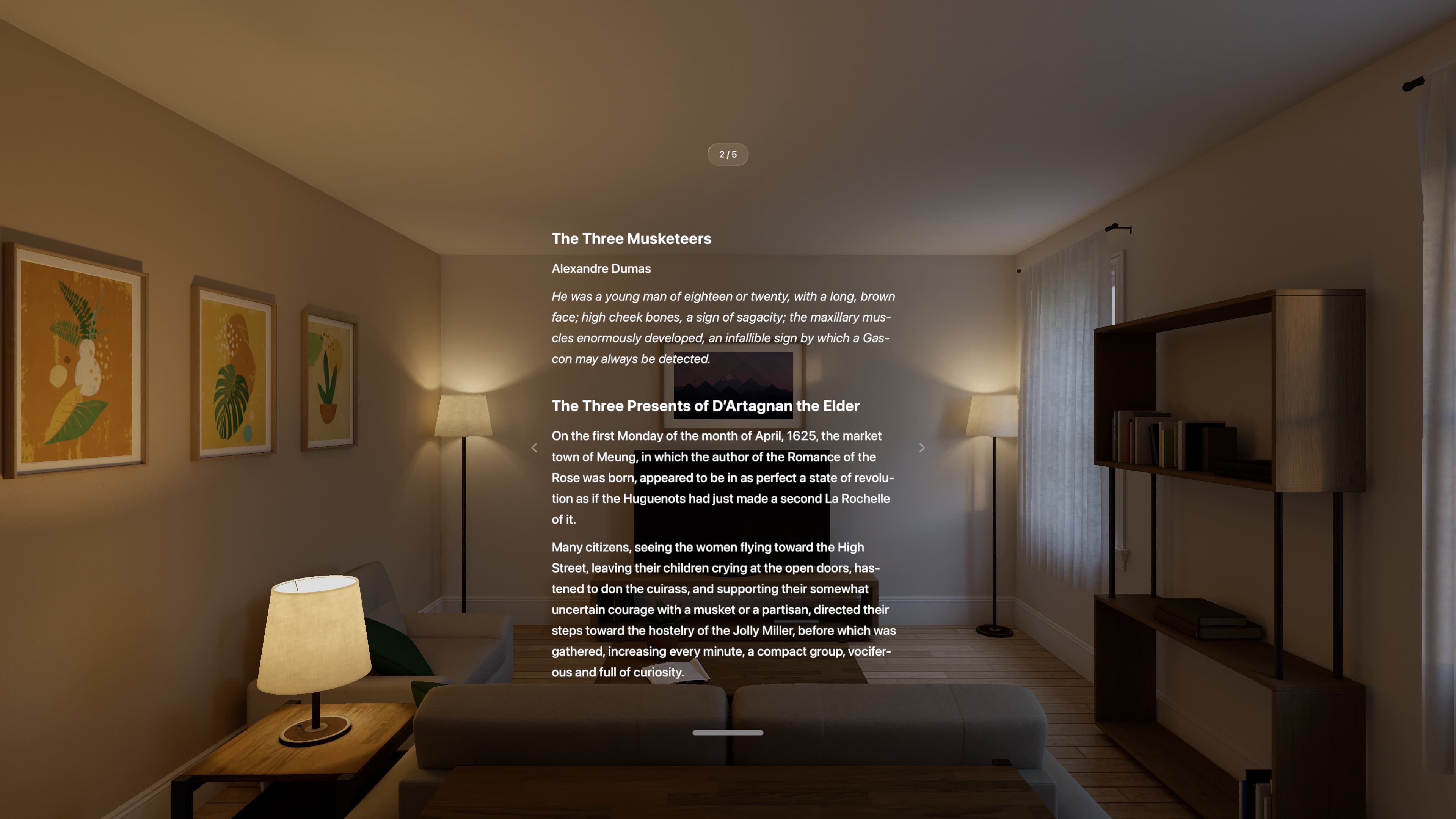
I designed and built a Vision Pro reader that reflows PDFs and EPUBs into one column with adjustable type. Original PDF pages stay one action away.
Status
Available on the App Store.
Context
visionOS 26 · SwiftUI · Claude Code · Codex
My role
Solo product designer and product owner. I owned product definition, interaction design, typography, accessibility, headset QA, and App Store release.
- Release
- Version 1.0, build 2
- Technical checks
- 49 unit tests · 5 UI tests
- Import handling
- 23 of 23 checks
- App states
- 9 of 9 state checks
- Role:
- Solo product designer and product owner
- Privacy:
- Local processing · No account · No analytics · No tracking
AI working method
How I used AI to move from product decision to working software
- Product decision
- Product definition, spatial interaction, UX writing, typography, device QA, accessibility, and App Store release.
- AI-assisted build
- I used Claude Code and Codex to implement the SwiftUI app and tests, while I owned the product decisions, headset QA, and App Store release.
- Evidence
- Release: Version 1.0, build 2
- Technical checks: 49 unit tests · 5 UI tests
- Import handling: 23 of 23 checks
01
PDFs weren’t designed for spatial reading.
PDFs preserve the original layout. On Apple Vision Pro, that can mean tiny type, dense columns, headers, and constant zooming.
Clear Page reflows the text into one column, remembers your position, and retains the original page when illustrations or layout matter.
02
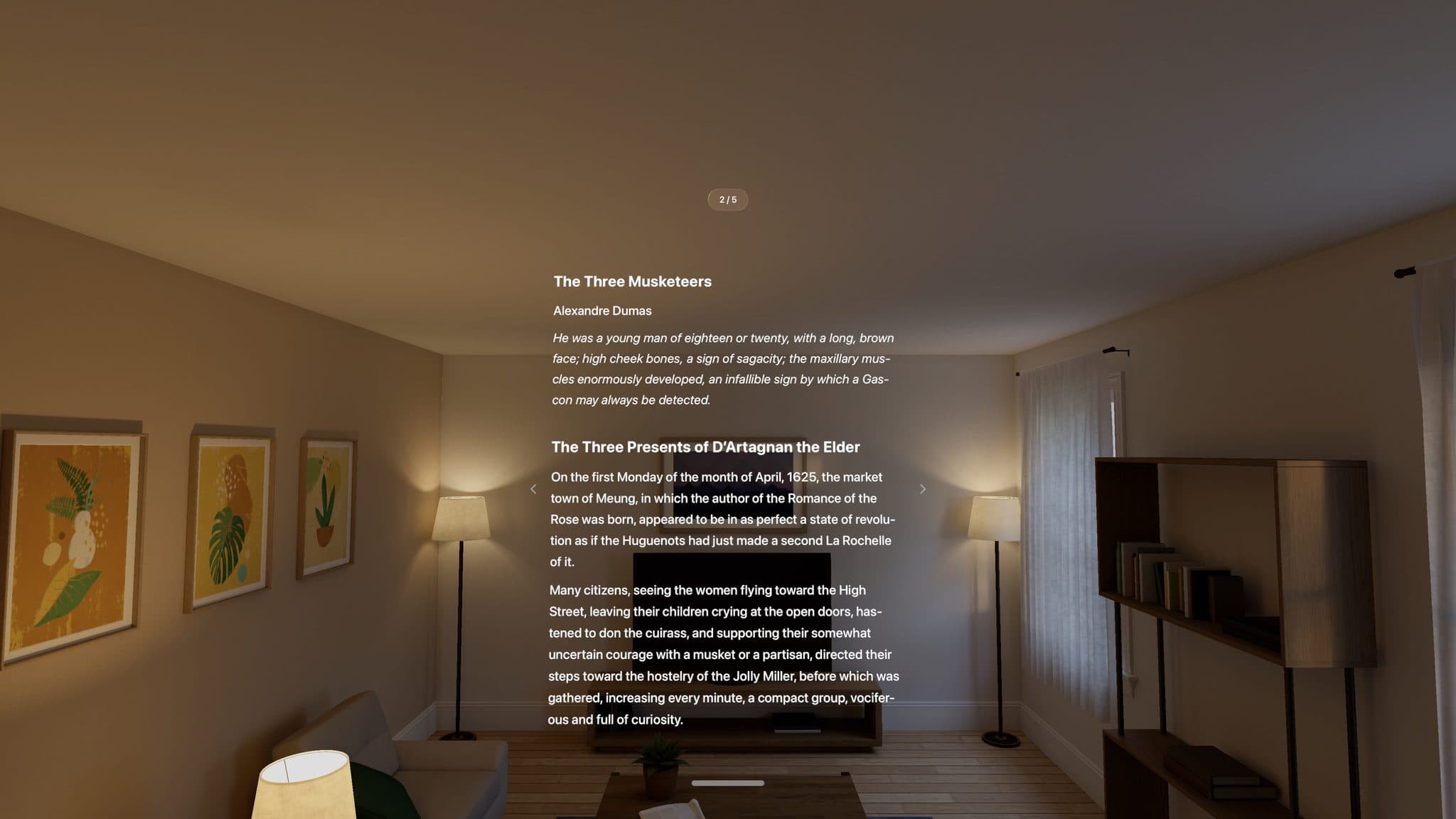
One page needed one quiet handle.
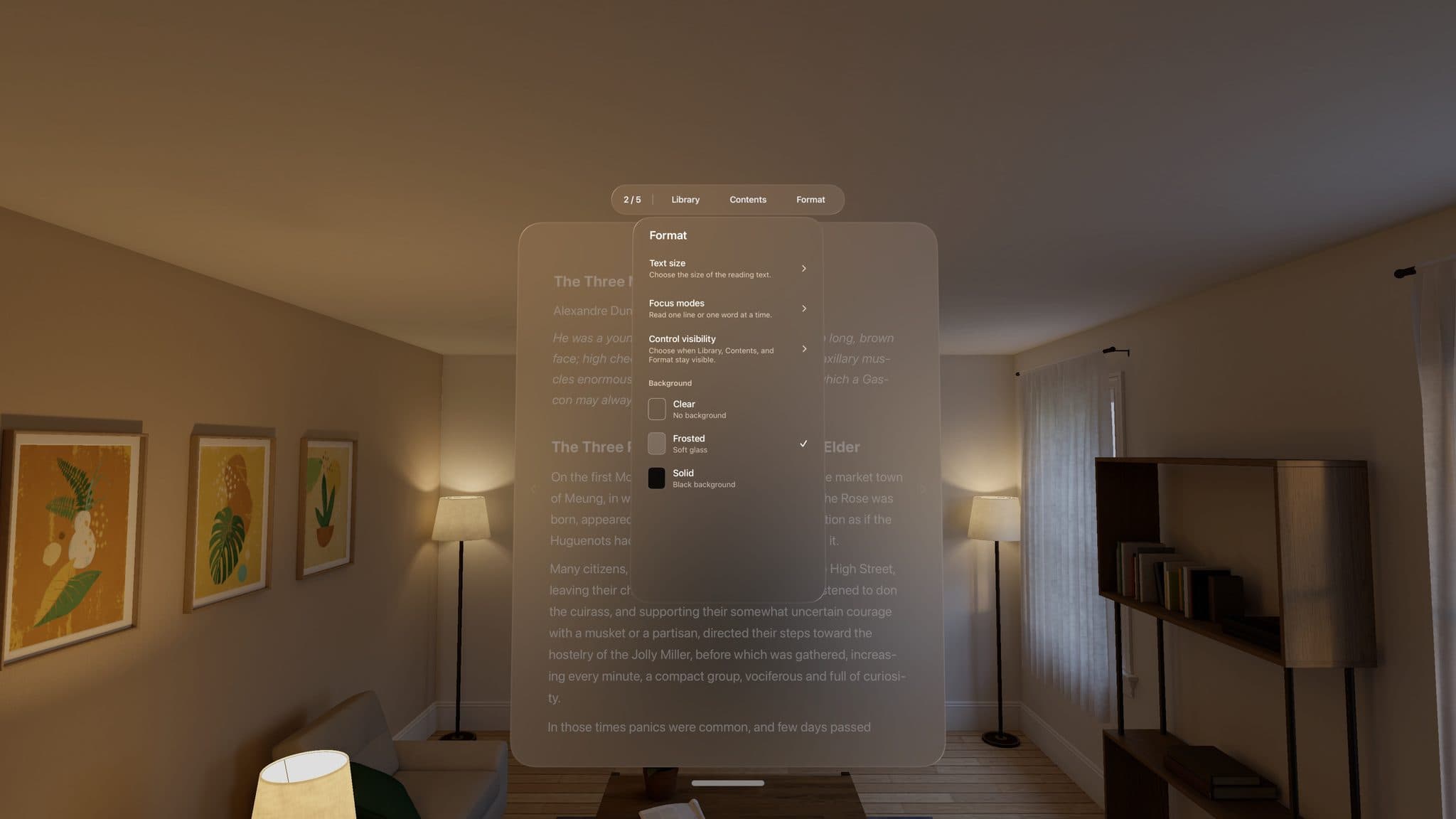
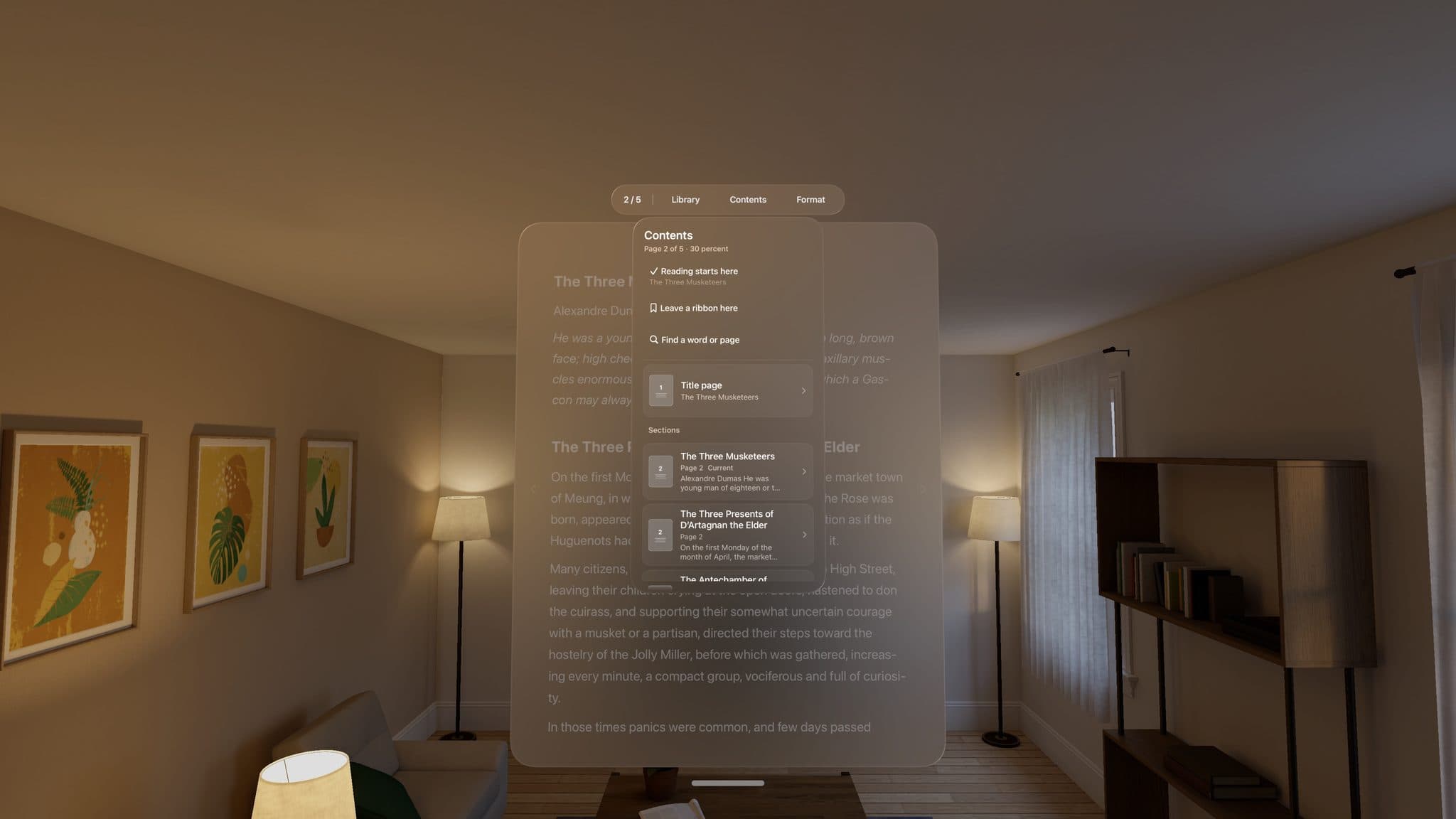
The interface rests as a small page coordinate above the text. One pinch expands that same glass object into Library, Contents, and Format.
A page tap only quiets the controls. It never summons them. Turning the page folds them away because turning means the reader has returned to the book.
03
Reflow had to preserve trust.
PDF layout and font information help the app identify headings, paragraphs, centered text, and emphasis. Scanned pages use on-device text recognition and must pass a confidence check.
When the app cannot read a document reliably, it refuses instead of guessing. View original page opens the retained source page, and Back to reading returns to the same passage.
04
The headset found what the simulator could not.
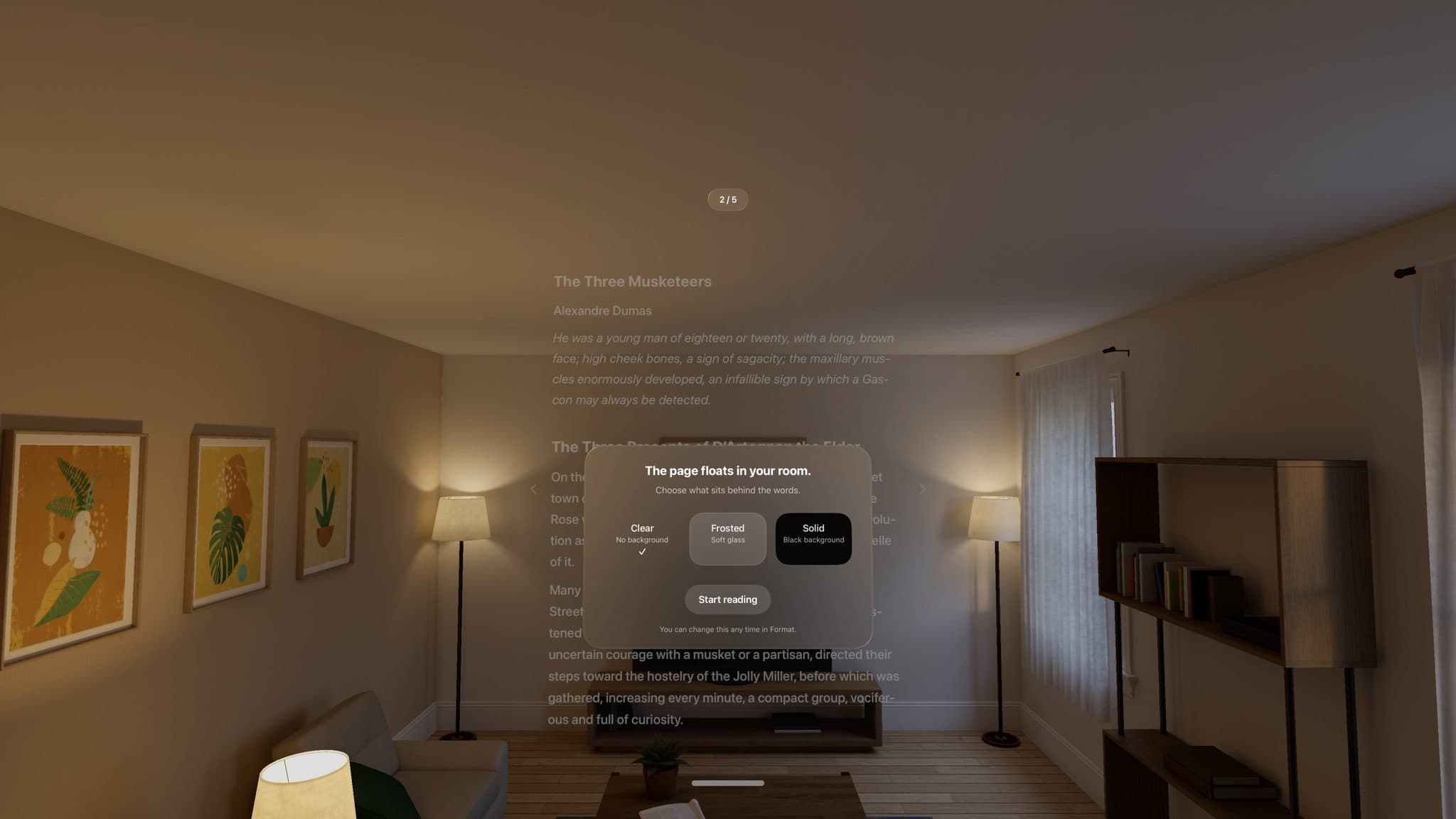
Hardware exposed parallax clipping near window edges, depth relationships that collapsed into one plane, a pace control whose direction felt reversed, and ligatures that split words during reflow.
The first-launch card moved farther forward, the page hushed beneath it, and each relationship was tested again on the headset.
05
The product improved through removal.
A dictionary, image study views, a multi-step tour, a settings page, and unsolicited motion all reached working prototypes. None earned its place in the reading loop.
The shipped opening is one page, one material card, and one action: Start reading.
- Reduce Motion swaps spatial transitions for crossfades
- Import cancellation stops page inspection and text recognition
- Corrupted library data is preserved and recovered
- Exit remains visible in both focus modes
Current boundary
What this work does not claim
Clear Page does not carry figures into reflowed text. Protected EPUBs and documents whose columns cannot be read safely are declined. Public availability is not adoption evidence, so there is no usage or retention claim yet.
REFLECTION
The strongest spatial decision was deciding what could disappear.
Clear Page improved when every control, animation, and feature had to earn time away from the words.