CASE STUDY 2 OF 8
HORSE: COURT CALLS
A basketball game built for the wrist.
I rebuilt HORSE for Apple Watch around large targets, four directional actions, and five distinct haptics. A failed bright-sun session led to an Outdoor mode with larger, higher-contrast controls.
Status
Version 1.0.1 is live on the App Store.
Context
A watchOS 26 app built in SwiftUI and tested on a physical Apple Watch.
My role
I owned the interaction design, watchOS direction, integration, physical-device testing, and final decisions.
The whole game fits in a brief glance
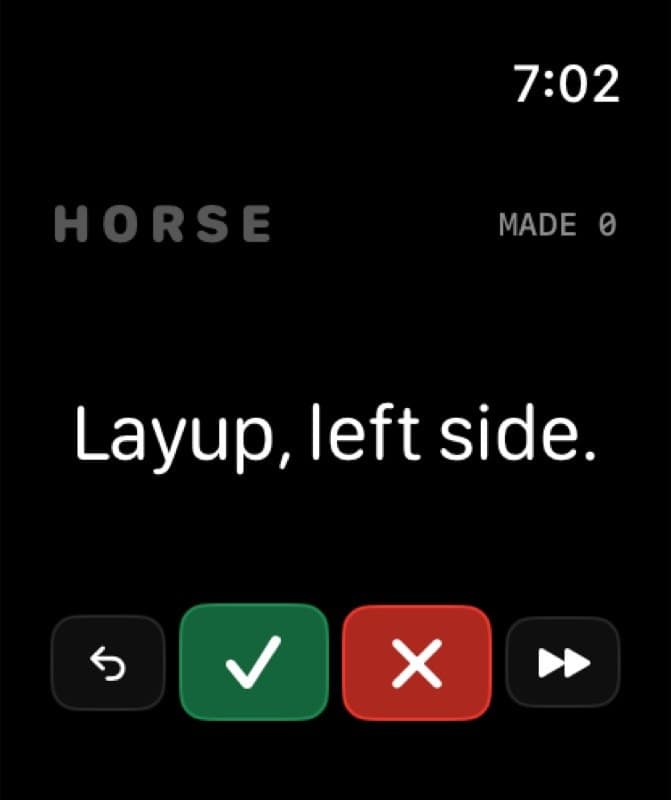
The primary decision is made or missed.
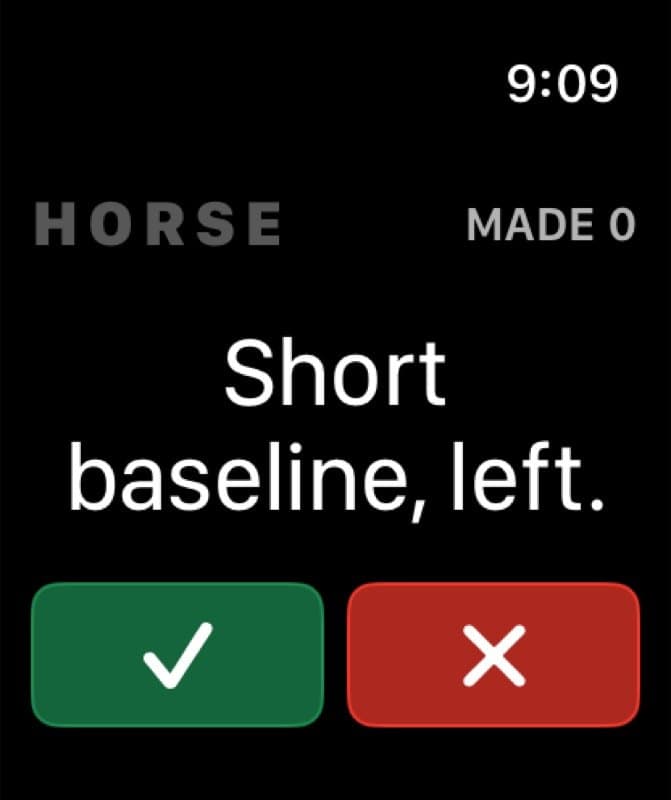
The watch calls a shot: layup left side, floater in the lane. You take it for real, then answer with a tap. Green means made, red means missed, swipe right to skip, swipe left to undo.
Five haptic patterns distinguish made, missed, the final-letter warning, game over, and reset. They let me confirm the state change without immediately rereading the score.
- 4
- game actions
- 5
- haptic patterns
- 4
- shot packs
Why a basketball game lives on a watch
I play solo shootarounds in short windows: fifteen minutes, an empty court, a ball, and whatever is already on me. A phone is a poor scorekeeper when both hands are busy. The watch is already on my arm.
What stayed and what changed
STAYED THE SAME
- Directional grammar
- Made, missed, undo, and skip
- The real court stays primary
CHANGED FOR APPLE WATCH
- Larger touch targets
- Distinct haptic feedback
- Watch-sized screen hierarchy
- Outdoor mode and undo timing
- Shot-pack settings
One run, four screens
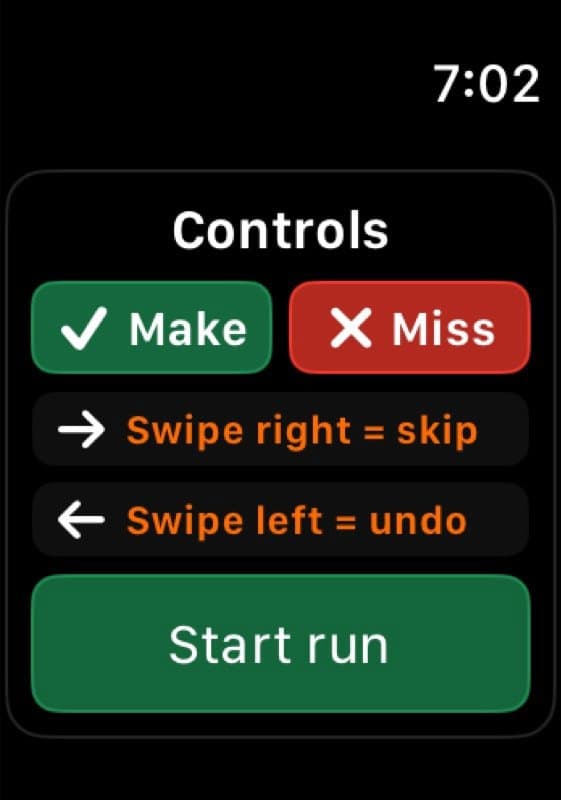
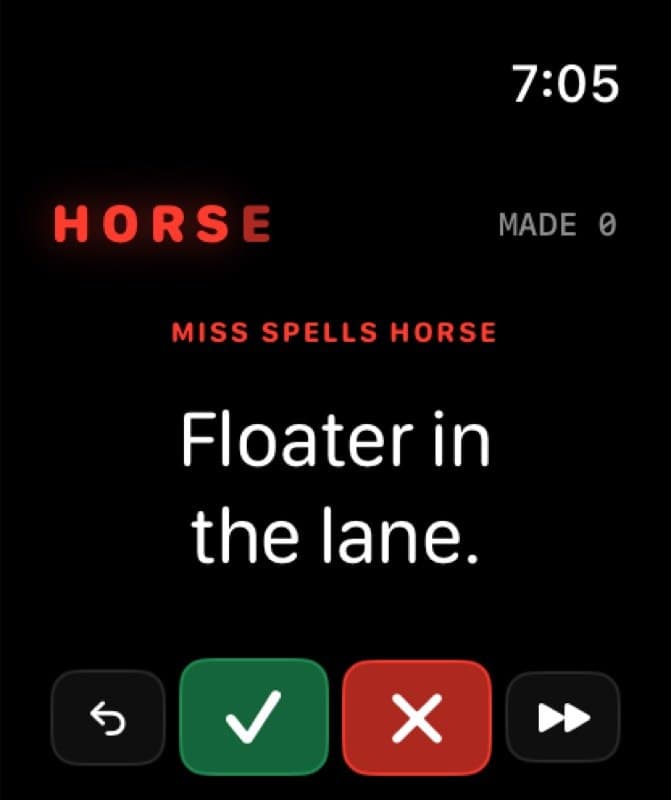
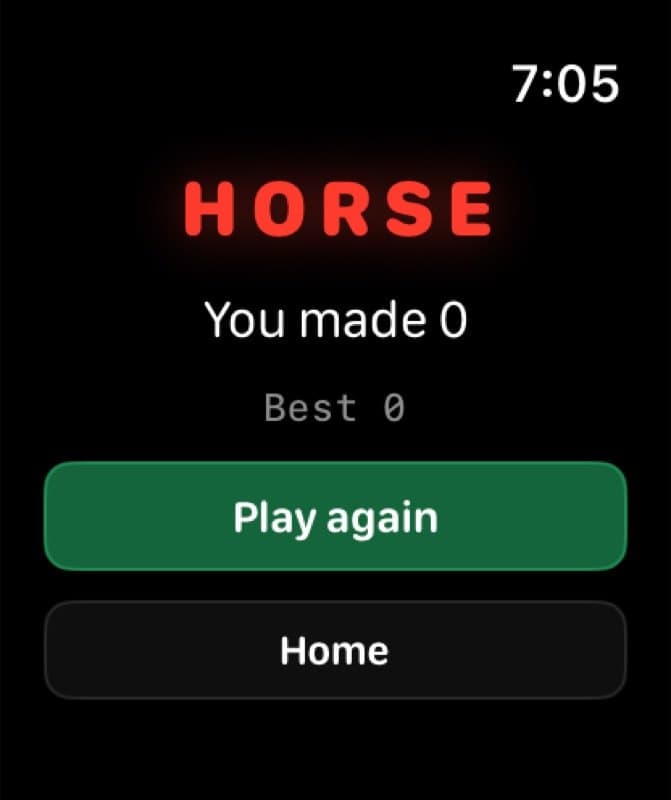
A missed-shot overlay appears for three seconds after each new letter. The final letter advances to Game over.
Outdoor mode and shot packs
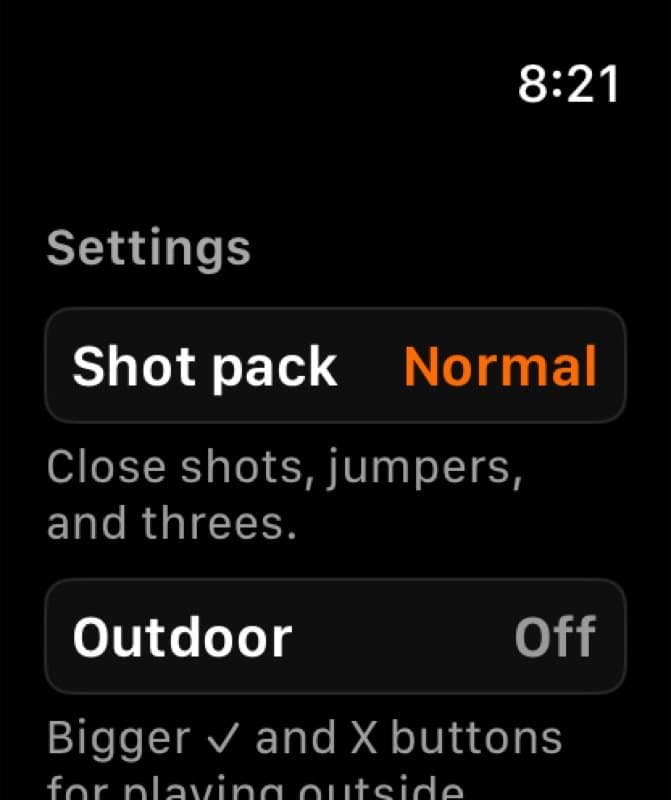
Outdoor mode started with a failed bright-sun prototype session: I could not hit my own targets reliably. The result is a higher-contrast, larger-target option for bright-court play.
Release follow-through
Shipping exposed a launcher failure. Version 1.0.1 fixes it.
Version 1.0 launched with a Control Center basketball that rendered correctly but did not open the app. The widget could display the control, but its URL intent could not complete the action.
I replaced the URL intent with an App Intent, inspected the archived widget binary, installed the update through TestFlight, and physically retested the launcher on Apple Watch. Version 1.0.1 is now live.
Current boundary
The version 1.0 launcher issue is fixed in the live 1.0.1 release. HORSE does not include multiplayer, accounts, cloud scores, or a phone companion.
AI working method
How I used AI to move from product decision to working software
- Product decision
- Cross-device interaction design, watchOS adaptation, UX writing, accessibility, device QA, and App Store release.
- AI-assisted build
- I used Codex and Claude Code to port HORSE to SwiftUI, then adapted the controls for Apple Watch and tested the release on-device.
- Evidence
- Release: Version 1.0.1 · Live
- Testing: 7 tests · Physical Watch QA
- Inputs: Gestures · Crown · Tap
REFLECTION
Porting reveals the core design.
The shared interaction grammar was the core idea; screen layout, controls, and feedback had to change with the hardware.