CASE STUDY 2 OF 5
SHIPPED · SPRING 2024
A certification workflow built for interruptions
Store leaders moved between a checklist, handwritten notes, a PDF, and a Microsoft Form. I designed one mobile workflow to capture evidence, resume after interruptions, and save the result to the employee record.
Status
Shipped to stores in spring 2024.
Context
Best Buy Connect · internal employee platform
My role
Senior UX Designer · service and workflow design, role-based states, interaction, and engineering handoff
The shipped flow connects observation to a lasting record
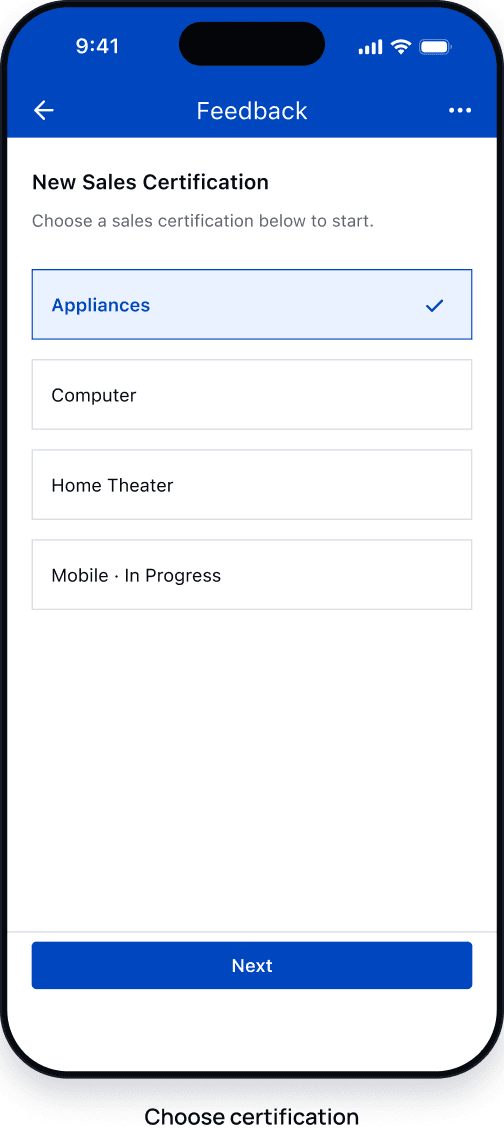
Select
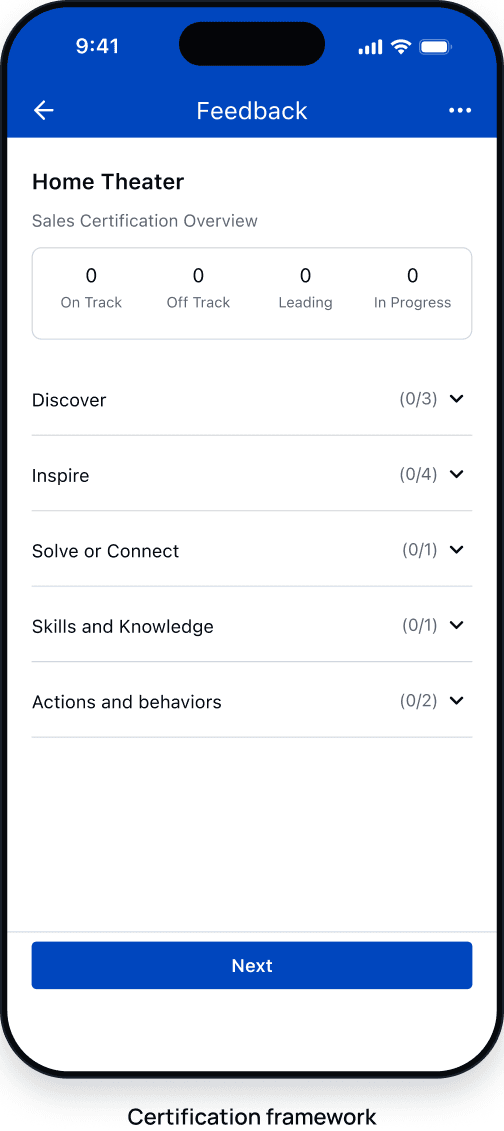
Assess
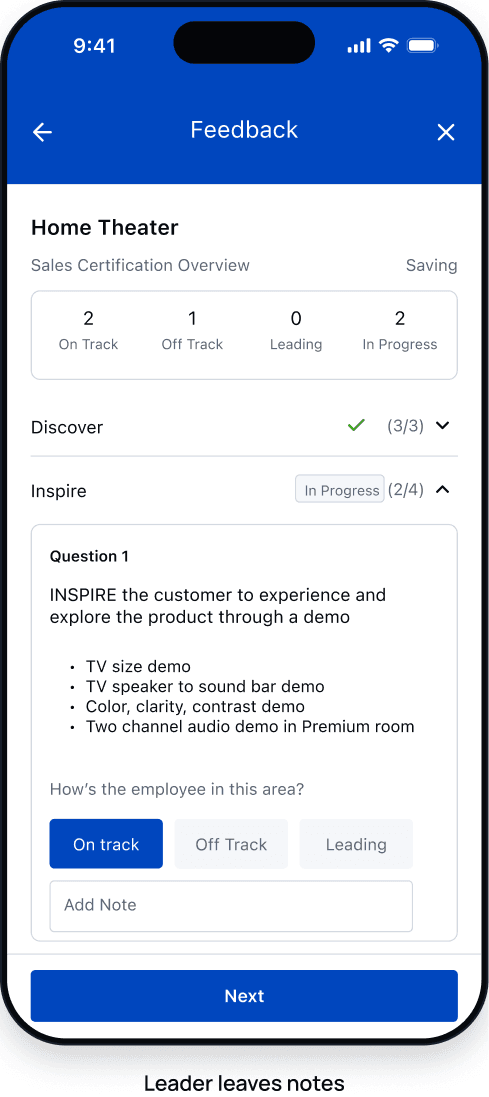
Record
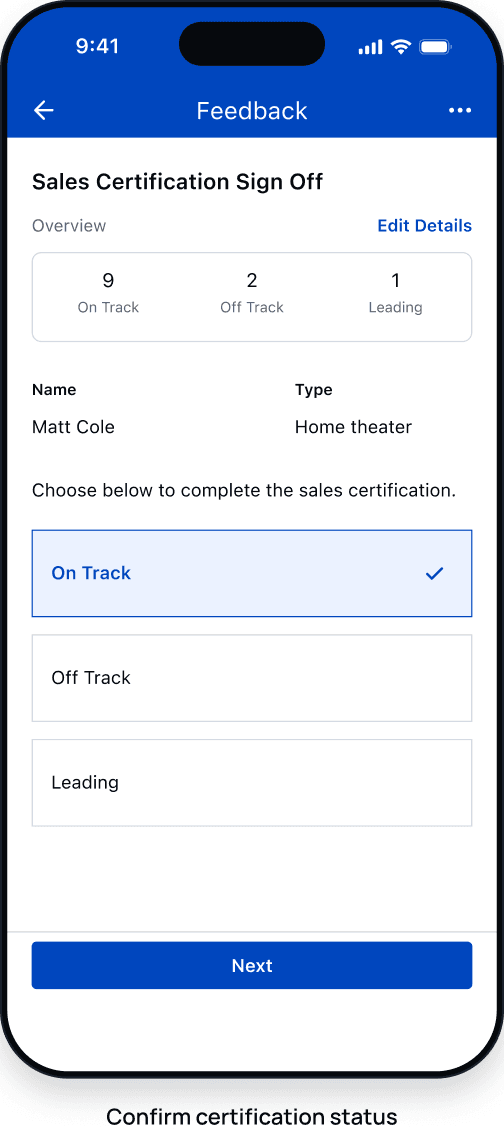
Sign off
The old service split one certification across paper and forms
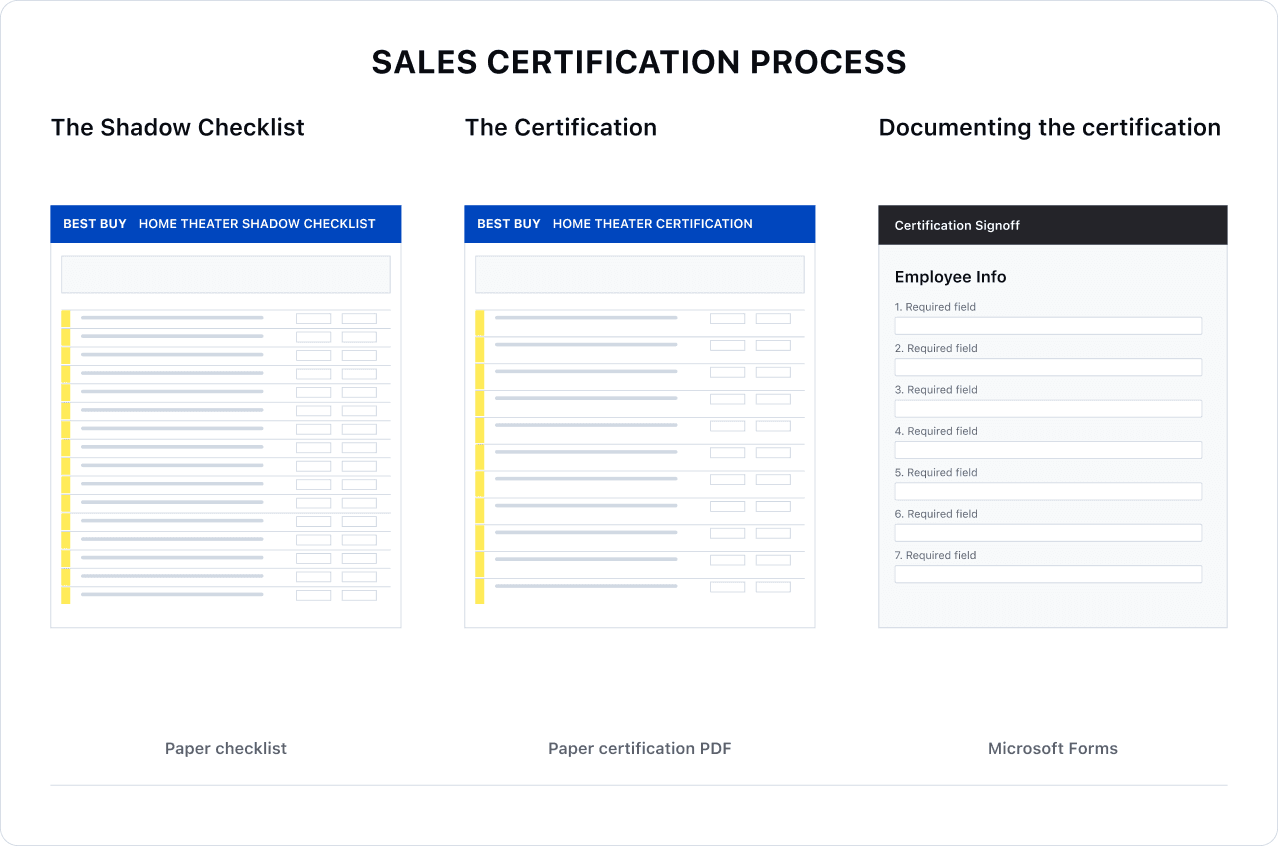
Three places. No shared record.
A leader had to move between a shadow checklist, a certification PDF, and a separate Microsoft Form.
- Paper checklists were difficult to find
- Handwritten notes stayed separate from the final record
- Results had to be entered again in Microsoft Forms
A real assessment rarely happens in one sitting
Operating scenario
A leader observes an employee with a customer, then pauses to handle store traffic. Later, they resume from saved progress, complete the evidence, and review the result with the employee before sign-off.
Project thesis
Interruption is a normal state.
Saving unfinished evidence was part of the workflow. A leader needed to return without reconstructing the assessment.
People and system needs
One workflow had to protect flexibility, fairness, and a durable record.
- Store leaders needed
- To record evidence as it appeared and return after an interruption.
- Employees needed
- A clear result backed by evidence and a record they could see.
- Retail operations needed
- Consistent certification data across a growing program.
- Engineering needed
- Reliable autosave, recovery, validation, and role states.
My decision
Let leaders record observations in any order, save progress, and review the result with the employee.
Service decisions
Three decisions that made recovery possible
- 01
SERVICE MODEL
Model the service, not the form
Connect selection, observation, evidence, and sign-off in one workflow.
- 02
INTERACTION
Keep context without forcing order
Keep assessment sections visible and let leaders open them in the order evidence appears.
- 03
RECOVERY
Make unfinished work recoverable
Use autosave and in-progress status to preserve evidence and show where to resume.
A hybrid layout supported non-linear observation
Long page
Not selectedEverything visible, but hard to resume
Step flow
Not selectedFocused, but hides surrounding context
Accordion
SelectedKeeps context and supports partial completion
Decision criteria
I chose the accordion to keep assessment sections visible, accept evidence in any order, and show where to resume.
Progress stays visible after an interruption
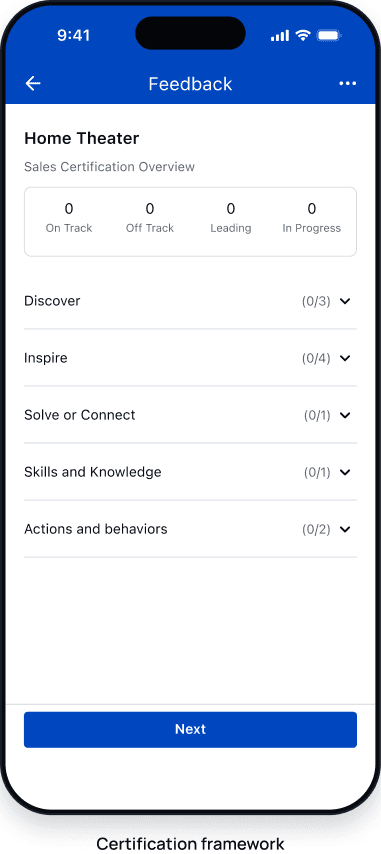
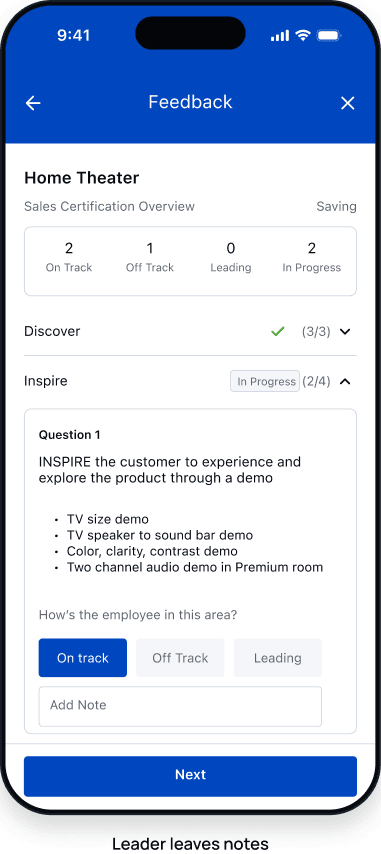
Interruption is expected
Saved evidence gives the leader a clear place to return.
- Completed sections remain visible
- Autosave preserves notes
- In-progress status marks work to resume
Role-based states connect the assessment to the employee record
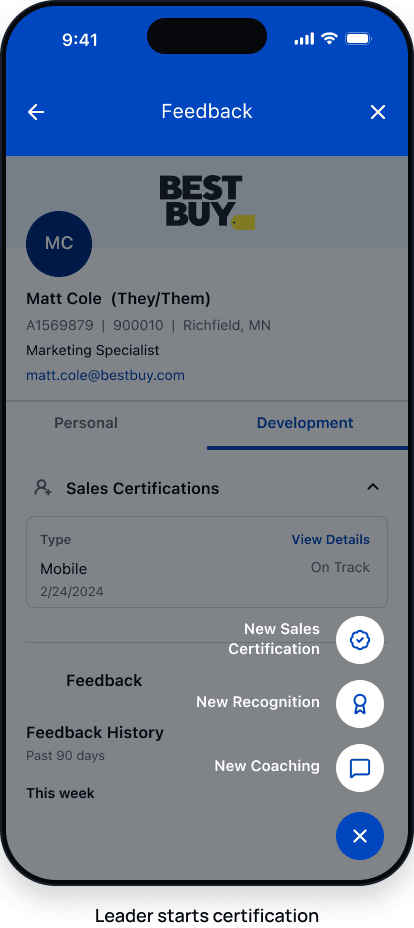
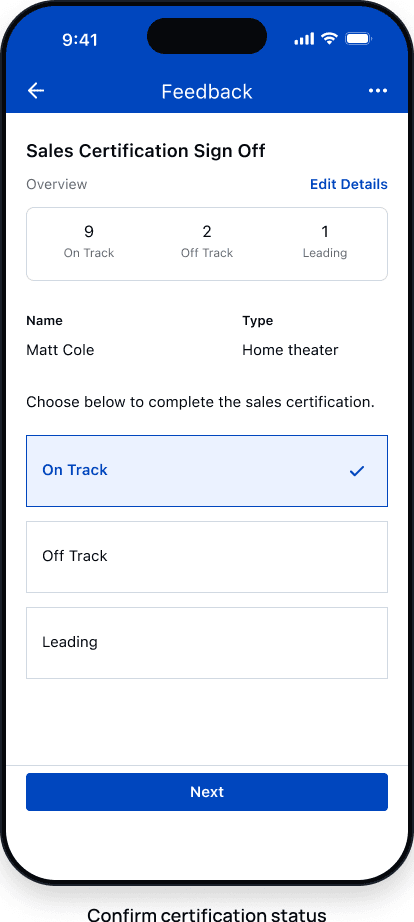
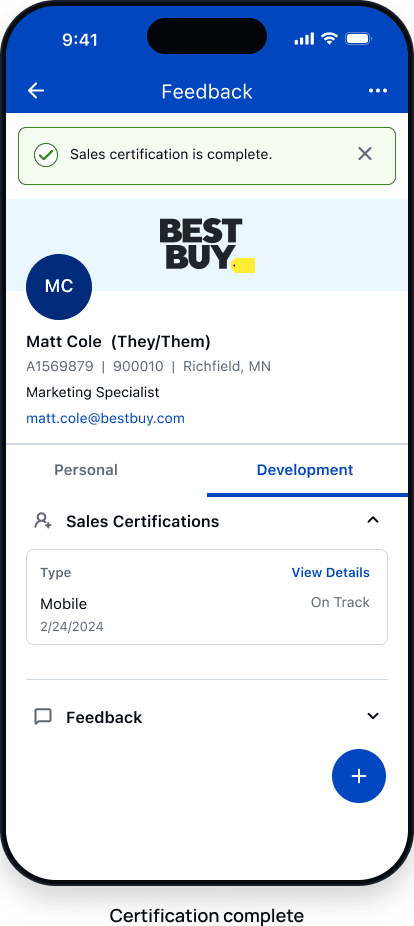
Role logic
Each role sees only the task and record it needs.
- EMPLOYEE
- Sees status and development history
- LEADER
- Assesses evidence and completes sign-off
- GENERAL MANAGER
- Sees aggregate progress without private notes
Later operating scale
90,309
certifications listed in one monthly program report
20,889
employees with certification records in that report
47
active certification types
Spring 2024
launched to stores
REFLECTION
The redesign changed the service, not only the screen.
The work extended beyond assessment screens. Saving partial evidence, defining who could see it, and connecting sign-off to the employee record were all part of the service.