CASE STUDY 5 OF 5
SHIPPED · HOLIDAY 2024
A mobile guide for live sales conversations
The paper worksheet helped employees remember what to ask. I turned it into a mobile guide with scannable department prompts, focused answers, and a customer recap, designed to keep attention on the conversation.
Status
Shipped across home theater, computing, and appliances for holiday 2024.
Context
Best Buy Connect · internal employee platform
My role
Senior UX Designer · product reframing, prompt architecture, mobile interaction, and cross-department alignment
From paper worksheet to mobile conversation guide
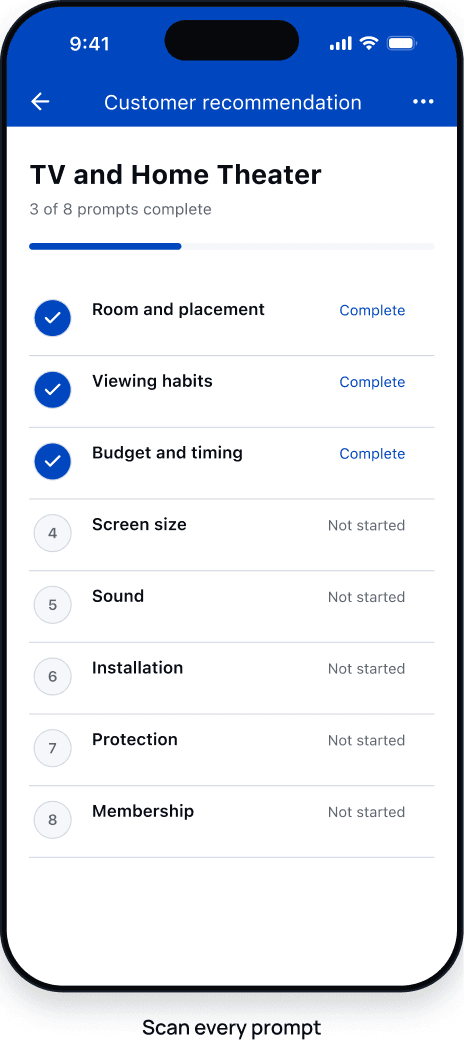
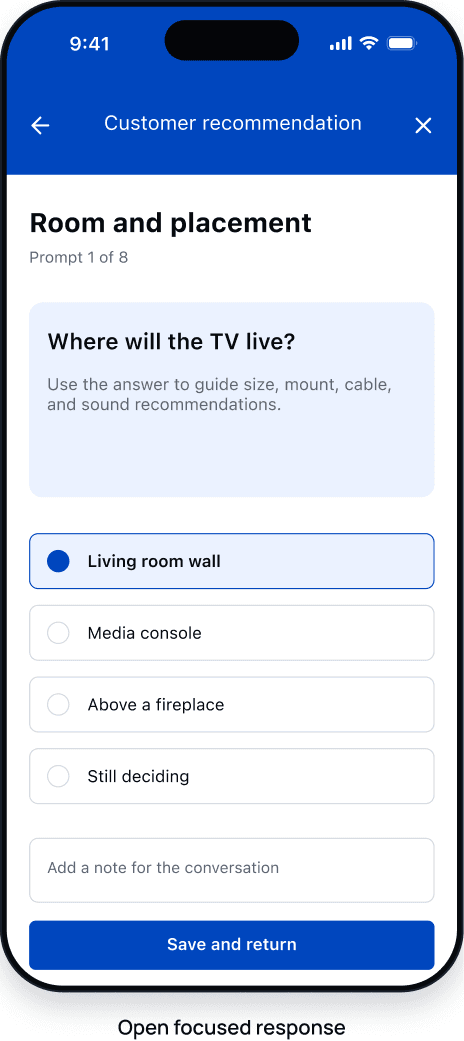
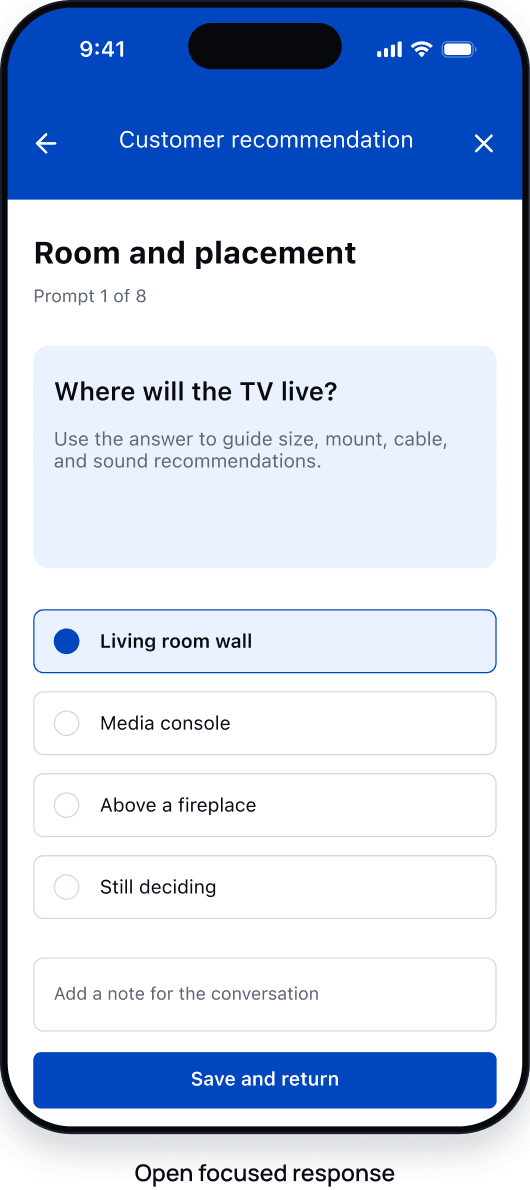
The Customer Recommendation Worksheet (CRW) became a mobile guide. I kept the sales prompts, gave each answer a focused view, and brought employees back to the list after answering.
Paper worksheet
BEST BUY
CUSTOMER RECOMMENDATION WORKSHEET
Mobile conversation guide
Project thesis
Design for the conversation, not the PDF.
Employees needed to glance at a prompt, capture an answer, and return their attention to the customer.
Shared behavior, local content
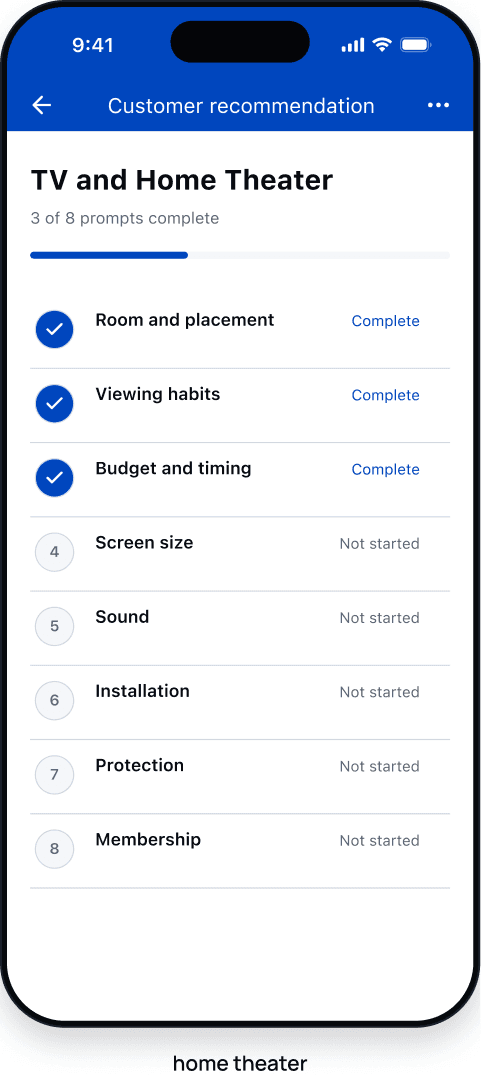
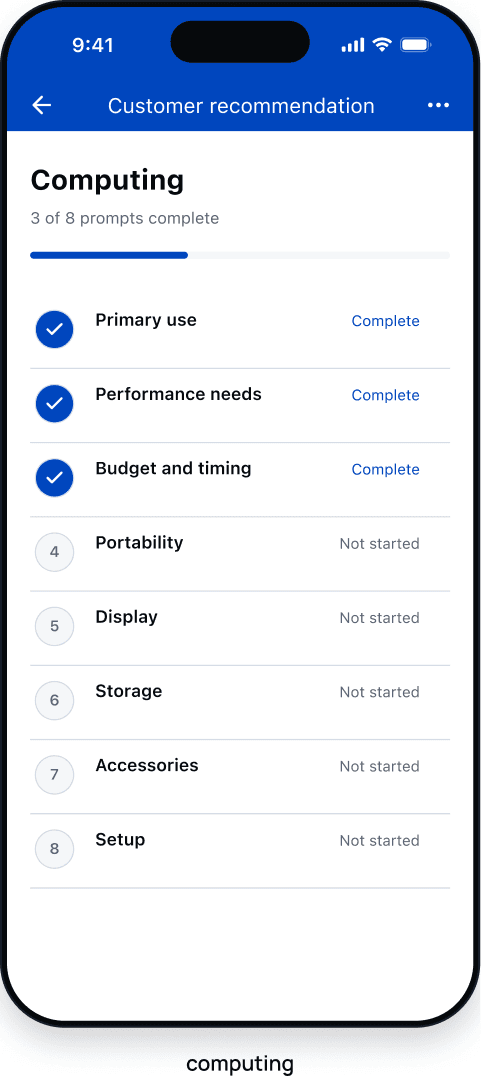
One behavior had to fit three different conversations.
- Employees needed
- Prompts they could scan during a conversation.
- Customers needed
- A conversation that still felt human.
- Department partners needed
- Category-specific questions, imagery, and decision support.
- Engineering needed
- One interaction model to reuse across three departments.
My decision
Keep the interaction consistent. Let each department adapt its prompts, imagery, and support.
Interaction decisions
Three decisions that kept the phone secondary
- 01
REFRAME
Treat the worksheet as prompts, not a form
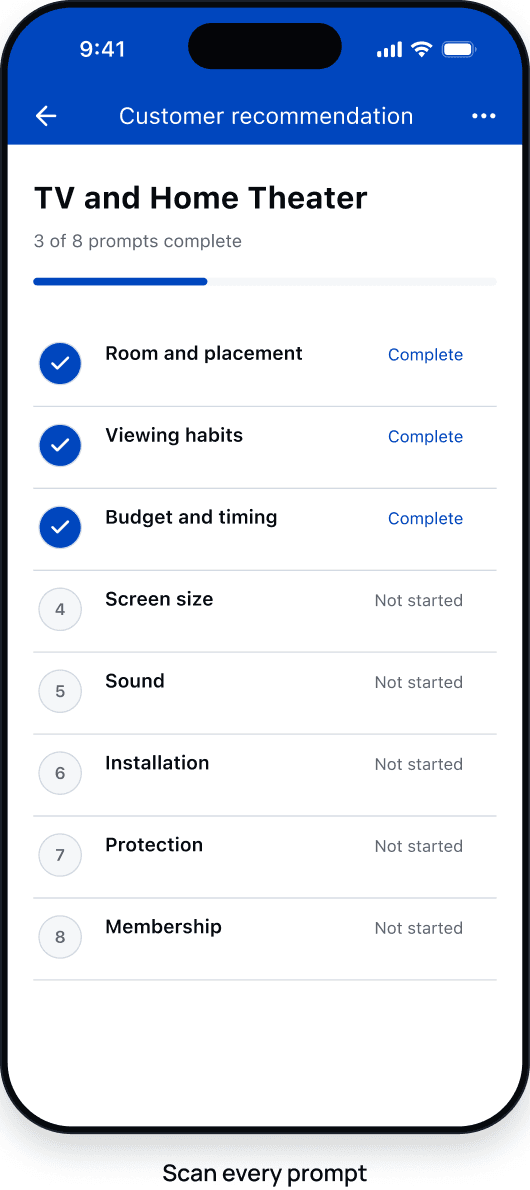
Keep prompts visible for reference without requiring a top-to-bottom conversation.
- 02
INTERACTION
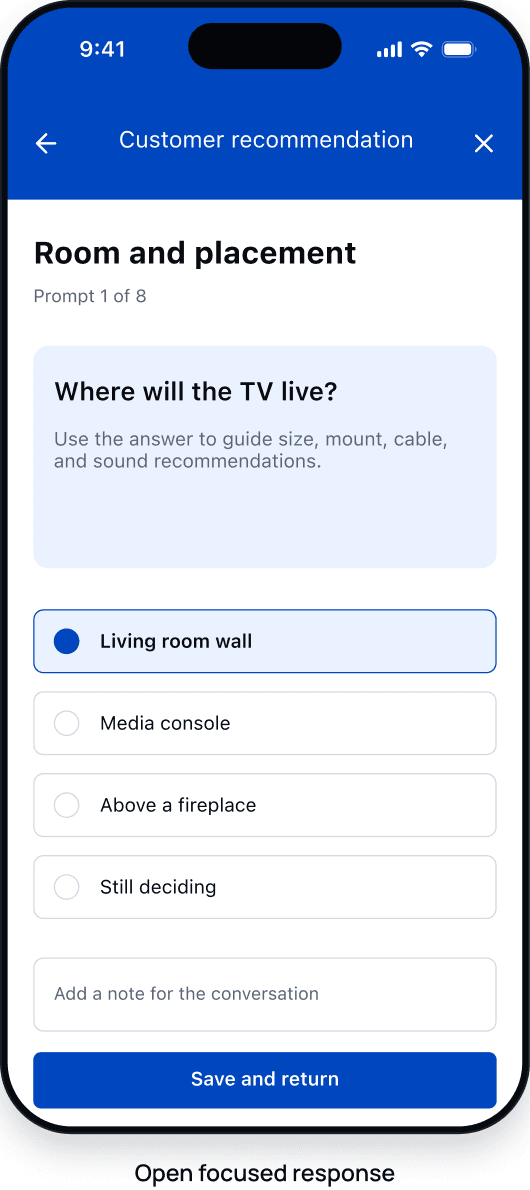
Separate scanning from answering
Open one answer at a time, then return to the full prompt list.
- 03
SYSTEM
Reuse the behavior, vary the content
Use the same interaction in home theater, computing, and appliances, with content specific to each department.
Scan, focus, return
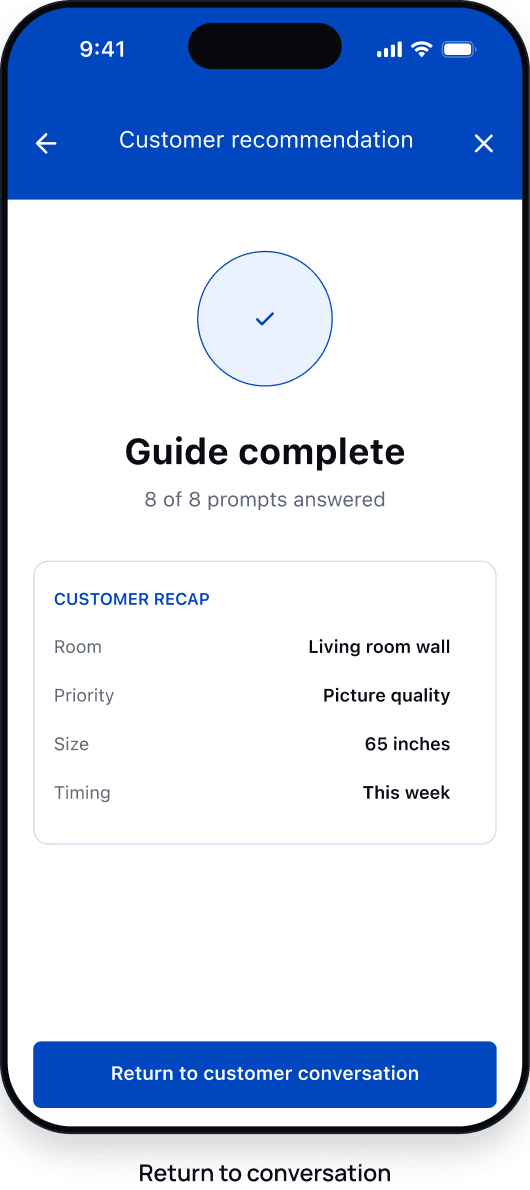
One behavior, three departments
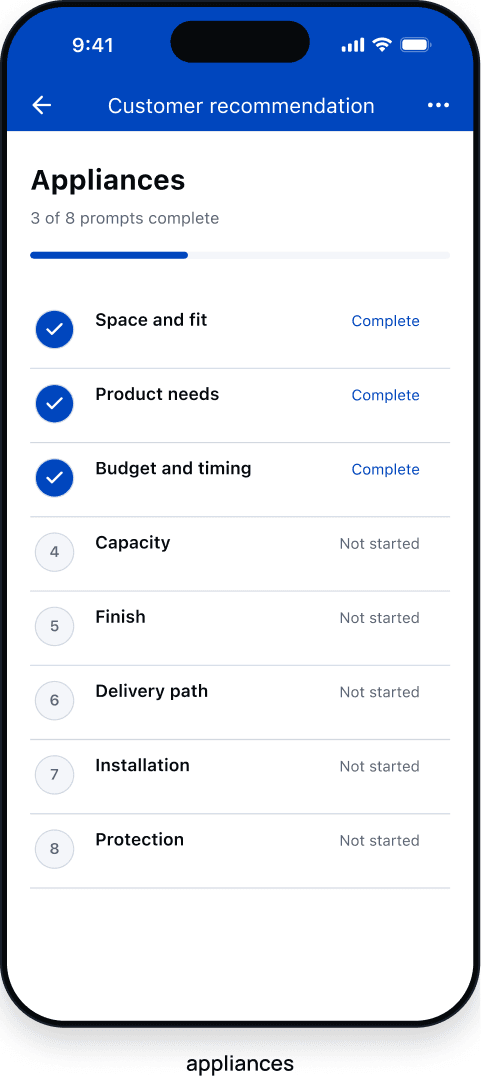
Appliances added category-specific support without breaking the system
Same interaction framework
Appliances adds department-specific support without changing the core flow.
JUMP LINKS
Move directly to fit, features, delivery, or protection
BENEFIT IMAGERY
Use images to explain product benefits
RESPONSE MEMORY
Keep earlier answers visible during the conversation
Early usage across three sales departments
1,106
guide opens in one monthly report
747
employees who opened a guide (same report)
3
departments in the initial release
Holiday 2024
shipped minimum viable experience
REFLECTION
The strongest decision was refusing a literal document conversion.
Keeping the worksheet's prompts meant rethinking how employees used them on a phone. A shared interaction gave each department room to adapt its content while keeping the flow familiar.