CASE STUDY 1 OF 5
PLATFORM FOUNDATION · 2023 TO 2024
I defined one shared employee foundation for four product teams
Four teams were rebuilding the same roster, profile, and access model. I defined a shared foundation, with specialized workflows owned by each product.
Status
The profile foundation shipped. Broader reuse was at different stages.
Context
Best Buy Connect · internal employee platform
My role
Senior UX Designer · experience architecture, access model, product boundaries, and cross-team alignment
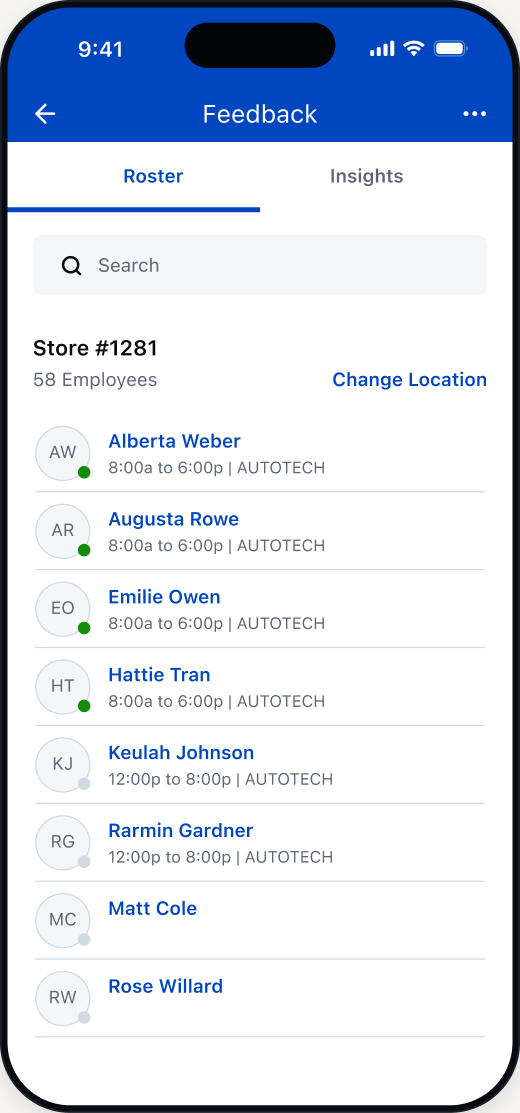
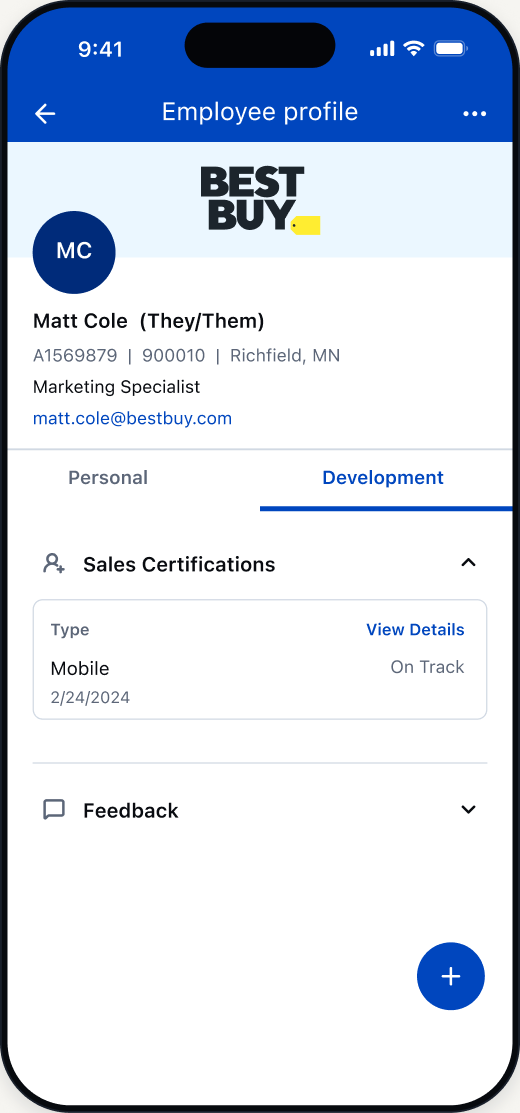
One employee foundation, two core surfaces
I defined how the roster finds an employee and opens their profile. Profile 360 shipped; the roster remained a defined model.
Four teams were rebuilding the same employee foundation
Before · Four separate foundations
Each product repeated employee discovery, profile context, and access rules.
Product A
- Roster
- Profile
- Access
Product workflow
Product B
- Roster
- Profile
- Access
Product workflow
Product C
- Roster
- Profile
- Access
Product workflow
Product D
- Roster
- Profile
- Access
Product workflow
Repeated four timesShared once
After · One shared foundation
I defined the roster, profile, and access model as the shared layer
Roster 360
Find an employee
Profile 360
Understand the employee
Access model
Show the information available to this viewer
Product-specific workflows
- Product A action
- Product B action
- Product C action
- Product D action
What I defined as shared and what stayed with each product
Shared foundation
- Roster
- Search and browse employees.
- Profile
- Employee identity and relevant context.
- Access model
- Rules for what each viewer can see.
Product-specific
- Actions
- Each product owns its next action.
- Workflows
- Specialized tasks stay within their source product.
- Context
- Task-specific information stays with the workflow.
I worked with all four teams to define shared behavior, access rules, handoff points, and product boundaries.
Find → Reveal → Hand off kept specialized work in the right product
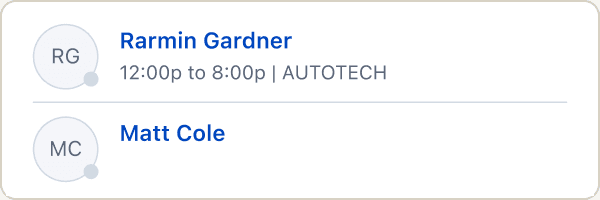
01Find
Find an employee by name or location.
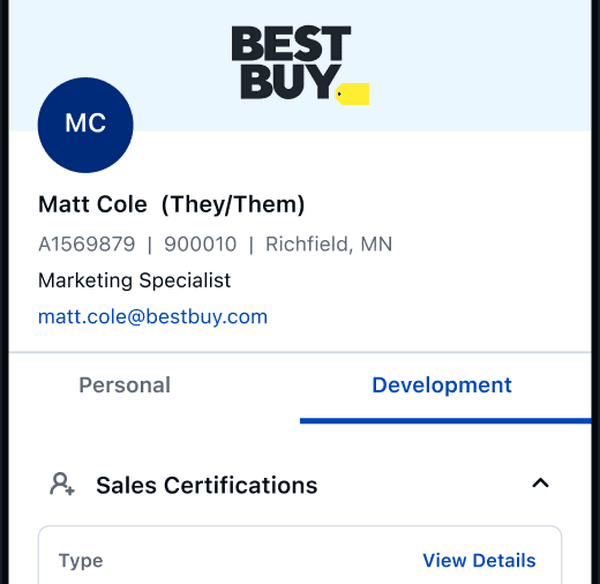
02Reveal
Show the employee information this viewer can access.
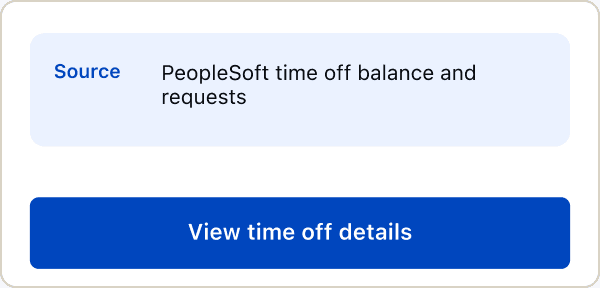
03Hand off
Open the product responsible for the next task.
Three decisions shaped the system
Share the roster, profile, and access model
All four teams needed to find employees and show their records.
Tradeoff: Product-specific tasks needed to stay outside the shared layer.
Keep specialized workflows inside each product
The profile provides context; each product owns its next action.
Tradeoff: Handoffs between the profile and each product had to be explicit.
Keep one profile structure and change information by viewer
Employees, leaders, and general managers share one profile structure.
Tradeoff: Each viewer relationship needed clear rules for visible and hidden information.
I defined one roster pattern for finding employees
I brought search, browsing, location changes, and profile entry into one roster model.
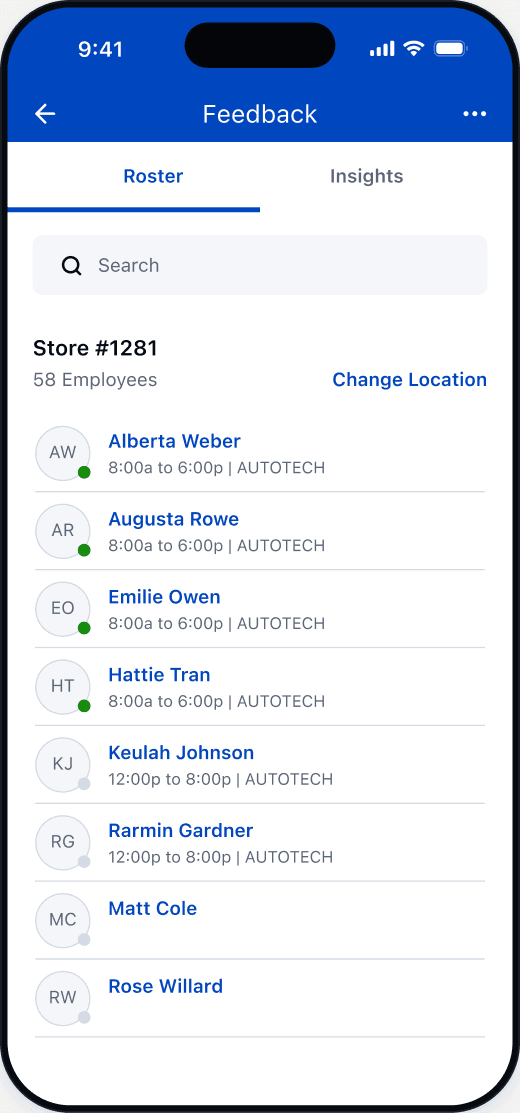
Search and browse use the same list
Search by name or browse employees at the selected location.
Location can change in place
Switch supported locations without leaving the roster.
Work context helps narrow the choice
Shift windows and clock status sit beside employee identity.
Selecting a row moves into the profile
Open the shared profile from the employee row.
The same profile showed different information based on the viewer
I defined what employees, leaders, and general managers could see within the shared profile.
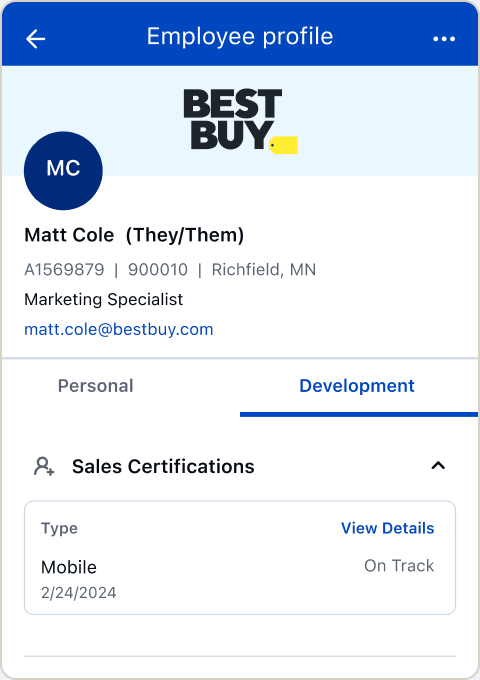
The shipped container holds the shared employee identity.
Viewer examples used to define the access model
- Stays consistent
- Profile structure
- Changes
- Available information
- Stays hidden
- Information outside access
Employee
Own record
Leader
Team context
General manager
Broader context
The profile foundation shipped
- Shipped
- The shared Profile 360 container.
- Defined
- The Roster 360 model, access model, and product boundaries.
- Broader reuse
- Reuse beyond the shipped profile remained at different stages across products.
REFLECTION
What I learned about shared product foundations
A shared foundation needed a clear stopping point. Defining the handoffs gave teams a common employee view while preserving responsibility for their own workflows.