AVAILABLE NOW · OPEN SOURCE
MACOS APP · SWIFTUI · BUILT WITH CODEX
Turning documents into Markdown without sending them anywhere.
A free, open-source Mac app I designed and built with Codex to turn text, files, and folders into Markdown.
- VERSION
- 0.1.2
- SYSTEM
- macOS 14+
- TRUST
- Apple notarized
Before: four steps. After: one window.
BEFORE · CHATBOT WORKAROUND
4 steps
upload, prompt, check, copy
- 01Paste the document into a chatbot
- 02Write a conversion prompt
- 03Check the generated Markdown
- 04Copy the result back
The document leaves the Mac.
AFTER · MARKDOWN MAKER
1 window
source and Markdown together
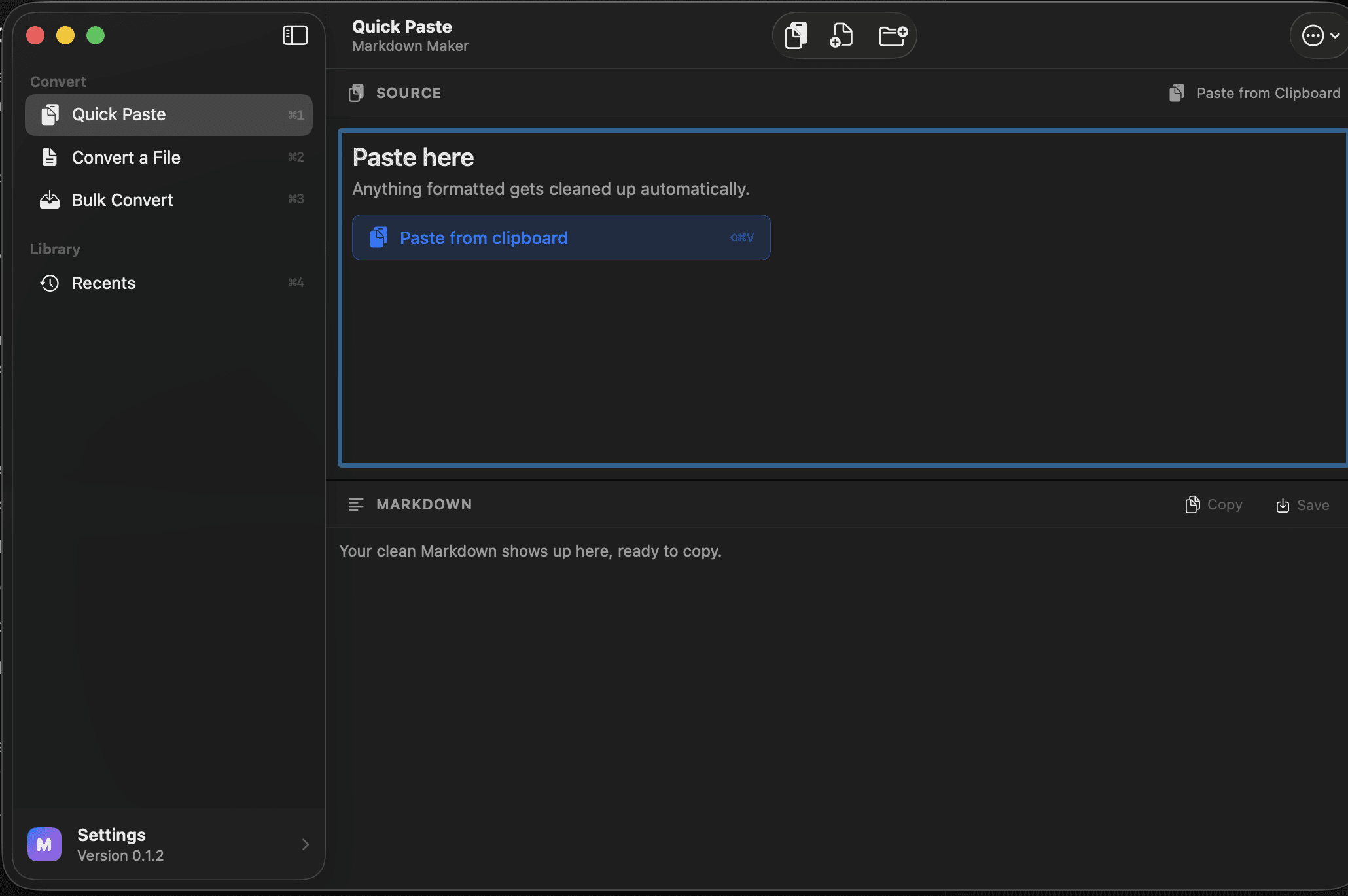
Nothing is uploaded.
The project in one minute
I kept using the same workaround: paste a document into a chatbot, ask for Markdown, then copy the result back. It worked, but the task was small and the detour was not.
Markdown Maker keeps the job on the Mac. Paste text, choose a file, or drop a folder. Check the result, then copy or save it.
- ROLE
- Product design and SwiftUI
- BUILD PARTNER
- Codex
- PRIVACY
- No account or network requests
- RELEASE
- Free, notarized download
Codex accelerated the build. UX judgment shaped the product.
MarkdownMaker / BulkExportView.swift
DropZone(
  title: "Drop files here",
  subtitle: "Whole folders work too.",
  systemImage: "tray.and.arrow.down.fill"
) { urls in
  store.addBulkFiles(urls)
}

Picker("Output") {
  Text("Separate files")
  Text("One Markdown")
}
Built with Codex · verified in Xcode
AI-ASSISTED BUILD
I used Codex to turn a recurring workflow problem into a working SwiftUI app.
- I BROUGHT
- The problem, interaction model, hierarchy, privacy bar, and what to cut.
- CODEX HELPED BUILD
- SwiftUI views, conversion logic, tests, and release cleanup.
The tool added speed. UX judgment supplied direction.
THREE DECISIONS
Three decisions kept the app small.
PROBLEM
Remove the prompt.
Conversion starts with the content, not instructions to a chatbot.
INTERFACE
Show both sides.
The source and Markdown stay visible until the result is ready.
SCALE
Repeat one pattern.
Paste, file, and batch conversion use the same sequence.
Paste. Check. Copy.
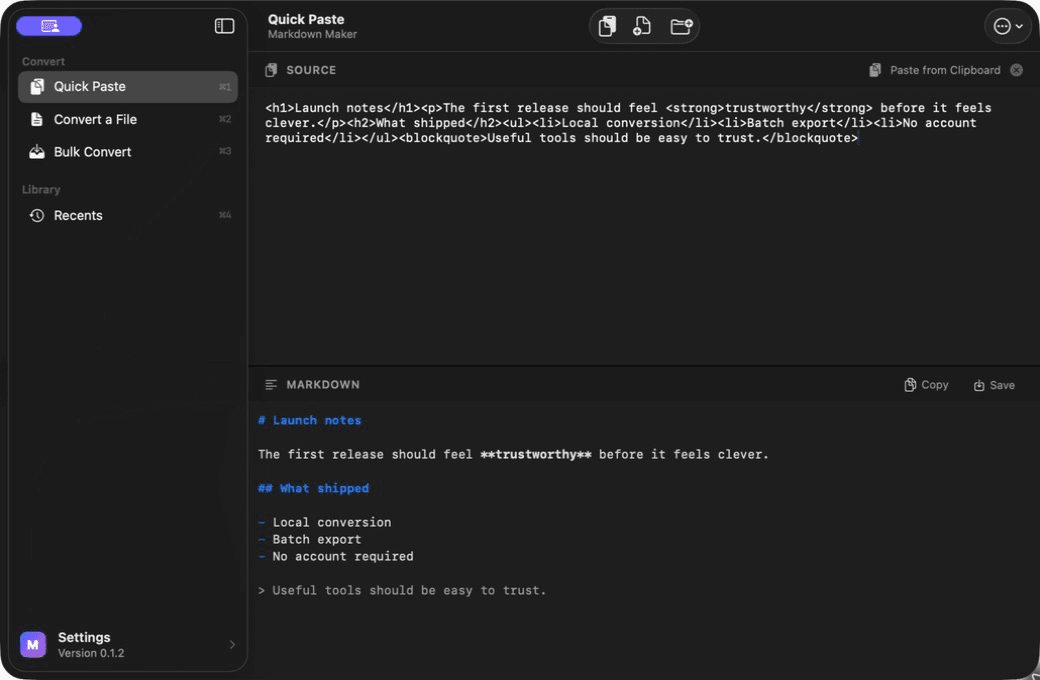
Source stays visible
Compare what went in.
Markdown sits below
Check what came out.
Copy or save
Take the result when it is ready.
The toolbar puts every conversion one click away.
TOP TOOLBAR SHORTCUT
The modes I use most stay at the top.
QUICK PASTE
Clean up loose text or copied content.
ONE FILE
Drop a PDF, DOCX, RTF, HTML, or TXT.
BULK CONVERT
Convert a folder or ZIP in one pass.
Nothing leaves the Mac.
INPUT
Text
Files
Folders
ON THE MAC

Markdown Maker
OUTPUT
Markdown
No upload. No account. No analytics.
PDFKit, textutil, and the app’s converter run locally.
What shipped
Version 0.1.2 is public on GitHub as a signed, Apple-notarized Mac app with the full SwiftUI source and an MIT license.
People can download it, drag it to Applications, and use it without Xcode or an account.
- VERSION
- 0.1.2
- LICENSE
- MIT
- SOURCE
- github.com/th3quietloop/MarkdownMaker
REFLECTION
The useful part was removing the detour.
I started with my own workaround, then designed the smallest product that could replace it.