PLAYABLE BUILD · SUMMER 2026
META RAY-BAN DISPLAY · BUILT WITH CLAUDE
HORSE for my smart glasses
You take real shots on a real court. The glasses hold the call and the count.
Context
Designed, built, and tested on a real court, June 2026.
My role
I set the concept, interaction model, visual direction, integration, court testing, and final decisions. Claude Code generated and revised code under my direction.
ROLE • CONCEPT, DESIGN, TESTING
HARDWARE • DISPLAY + NEURAL BAND
TESTED • ON THE COURT
What you see through the glasses
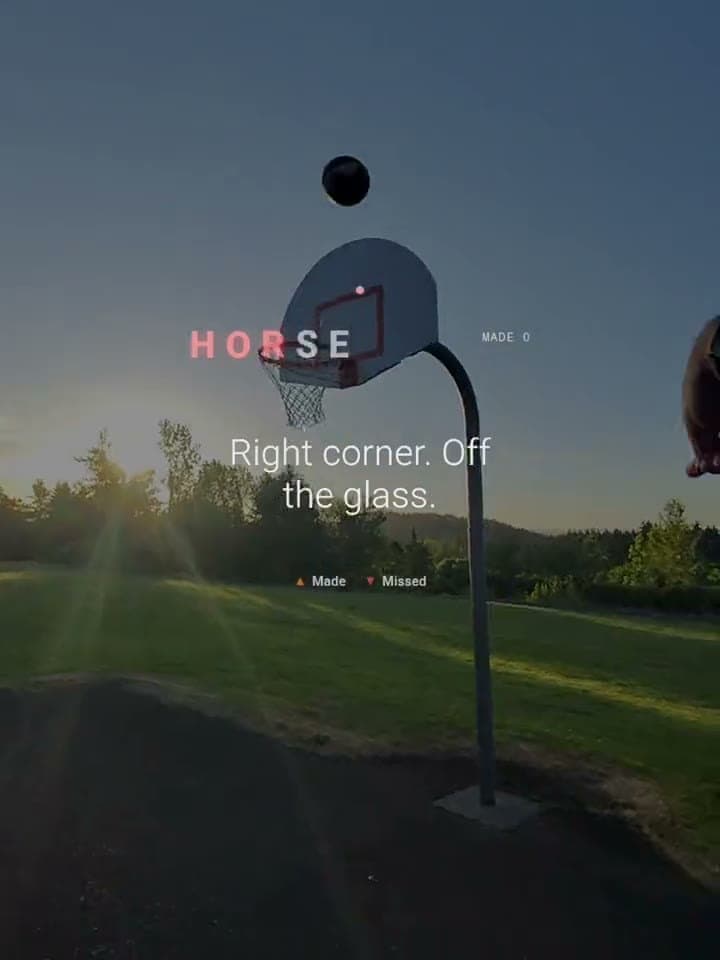
HORSE
MADE 0
Right elbow.
The game is a few words floating over a real court.
On this lens, black renders as transparent. So the interface is only the words that matter: the shot call, the score, and four actions: made, missed, undo, and skip. Everything else you see is the actual court.
- 600 × 600
- display pixels, no scroll
- 4
- directional actions
- 1
- active game view
Why this exists
In March, I did not know how to use a terminal. On parental leave, I learned by asking Claude to explain it in basketball terms between feedings and diaper changes.
My wife and I used to play HORSE. These days my hoops are quick solo shootarounds, so I designed the game we used to play for the glasses I bring to the court. I directed Claude Code through the implementation, integrated the build, and let the court decide what stayed.
- ROLE
- Concept, interaction design, direction, integration, and court testing
- TIMELINE
- June 2026 · idea to court in one month
- HARDWARE
- Ray-Ban Display and the neural band
- TEST LAB
- The park court up the hill
One playable build, tested on the glasses and the court
100
variations generated in HTML with Claude Code
6
playable concepts tested on device
1
court-tested build
How to read this
Design-exploration and device-testing counts from the June 2026 build.
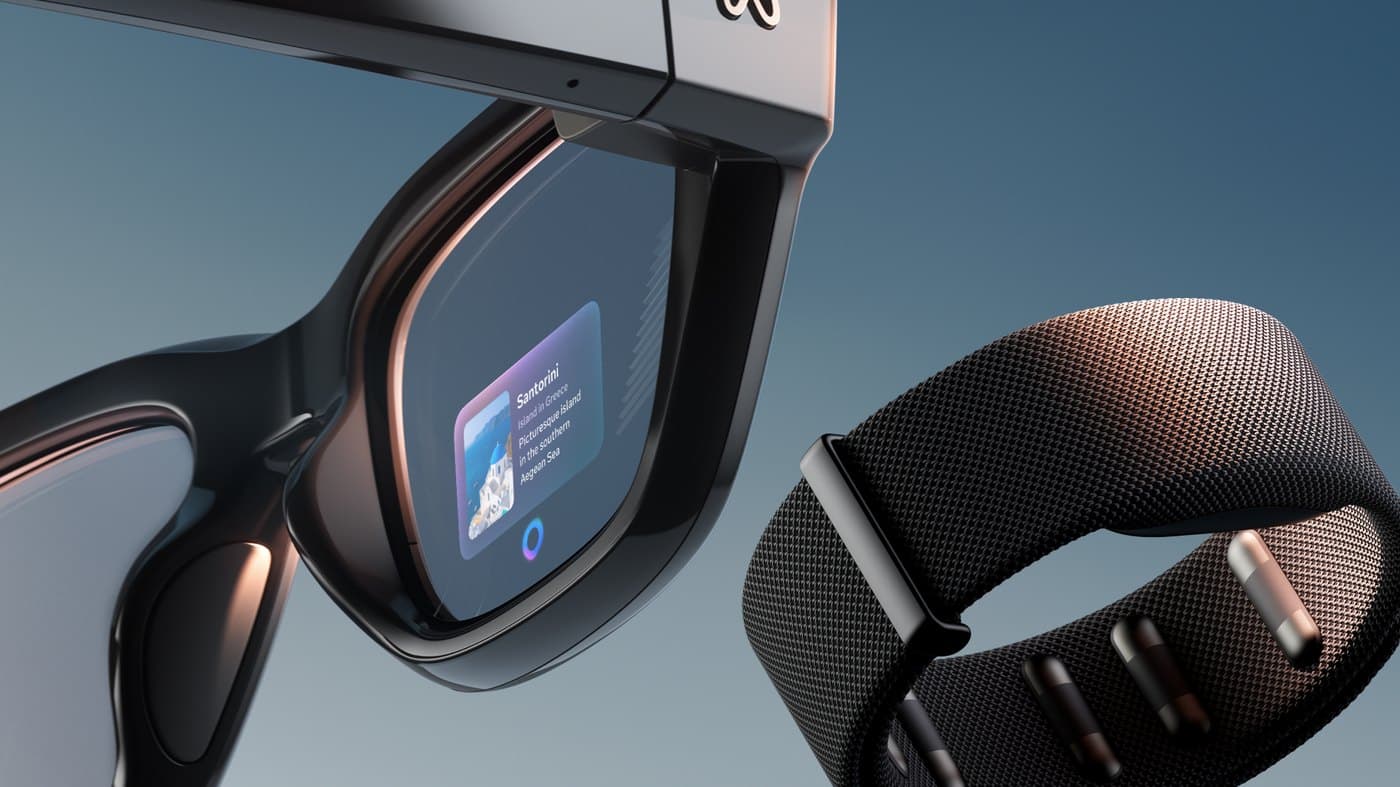
The canvas is a lens. The controller is your wrist.
The neural band
It reads the EMG signals in your wrist: pinch to select, directional swipes to move, and back pinch to step out. The web app receives those as four directions, select, and back.
On-device testing removed hold and double pinch because they did not fire reliably. Directional swipes record made, missed, undo, and skip. Pinch starts or selects. Back pinch pauses.
One hundred variations, built in HTML with Claude Code
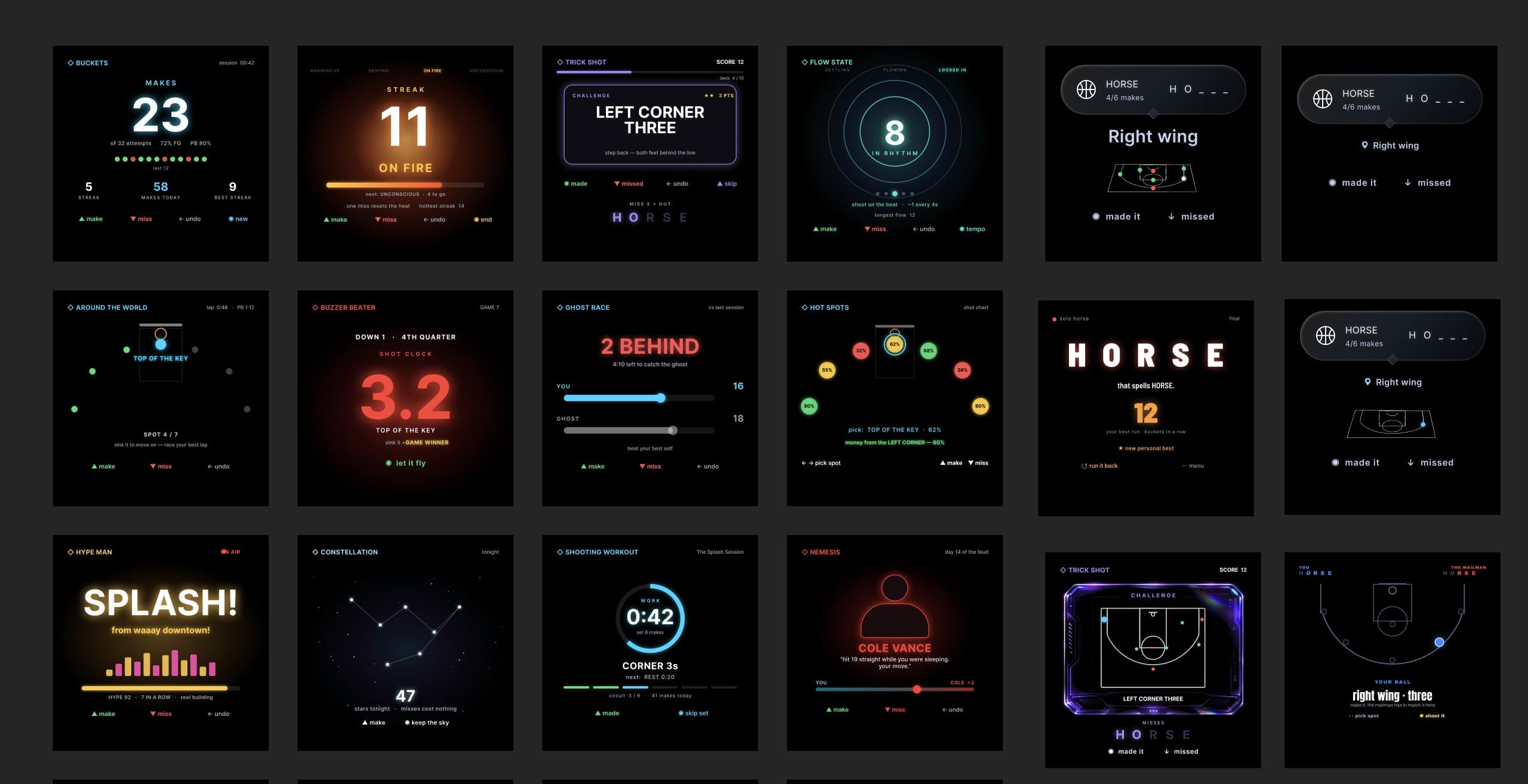
I wrote the lens, court, and interaction constraints, then used Claude Code to generate a hundred takes in HTML and CSS. I toggled elements on and off live and kept what survived on the glasses. Buckets, streaks, ghost races, constellations, and trick shots: most of them died on the lens, and that was the point.
Idea to court, six steps
01
Idea
02
100 variations
03
Toggle UI live
04
GitHub
05
Live on Vercel
06
Court test
I saved every iteration as a Git commit, so I could restore any earlier direction. Six playable concepts reached the glasses; one survived court testing.
TRY THE BUILD
Take the court-tested build for a run
Play in a desktop browser, or add the same build to Meta Ray-Ban Display in Developer Mode.
Other Ray-Ban Meta models do not have the display this game uses.
In a desktop browser, use the arrow keys and Enter.
Install it on Meta Ray-Ban Display3 steps
- 1In Meta AI, open Settings, then App Info. Tap App version five times, then turn on Developer Mode.
- 2Open App Settings, then App Connections, Web Apps, and Add a Web App.
- 3Name it HORSE, paste horse-delight.vercel.app, and tap Connect. Open it from the glasses app grid.
Pinch to start. Swipe up for made and down for missed.
WHAT THE COURT TAUGHT ME
Four lessons from building and court testing
01
Specific constraints made the AI useful.
I described the lens, court, and gesture limits before asking Claude for variations. Better direction produced better options.
02
The court rejected what the browser accepted.
I moved each promising concept to the glasses early. Outdoor testing exposed glare, unreliable gestures, and motion that competed with the shot.
03
The deadline protected the core game.
Motion exploration expanded quickly. I cut it when it delayed the call, score, and four essential actions.
04
AI multiplied the options. Court tests made the decisions.
Claude accelerated implementation and variation. I set the constraints, integrated the build, tested it on the glasses, and decided what earned a place in the game.
REFLECTION
Make the product you miss.
The method is older than the tools: build the thing you miss, test it on the court where it has to work, and keep the point of view strong.